Restore Old Photos / Fire damaged photo restoration
Fire Damaged Photo Restoration: Repair Smoke and Heat Damage on Old Photos Online
Save the photos that came through a fire: smoke, soot and heat marks repaired in about a minute, with every face kept as it was.
A fire damaged photo is restored online by salvaging the print, scanning it and letting AI lift soot and smoke and repair burned areas while keeping the same faces. Fire damaged photo restoration is the digital repair of prints marked by soot, smoke, heat or firefighting water. Fire darkens images, blisters emulsion and scorches edges, yet album prints, frames fused to glass and partly burned portraits can keep enough detail for repair once salvaged and scanned. AI restoration repairs the digital scan while a fire restoration company treats the physical print, and Restore Old Photos removes soot marks and rebuilds burned areas in one pass. Select Restore Fire Damaged Photos Online to begin.
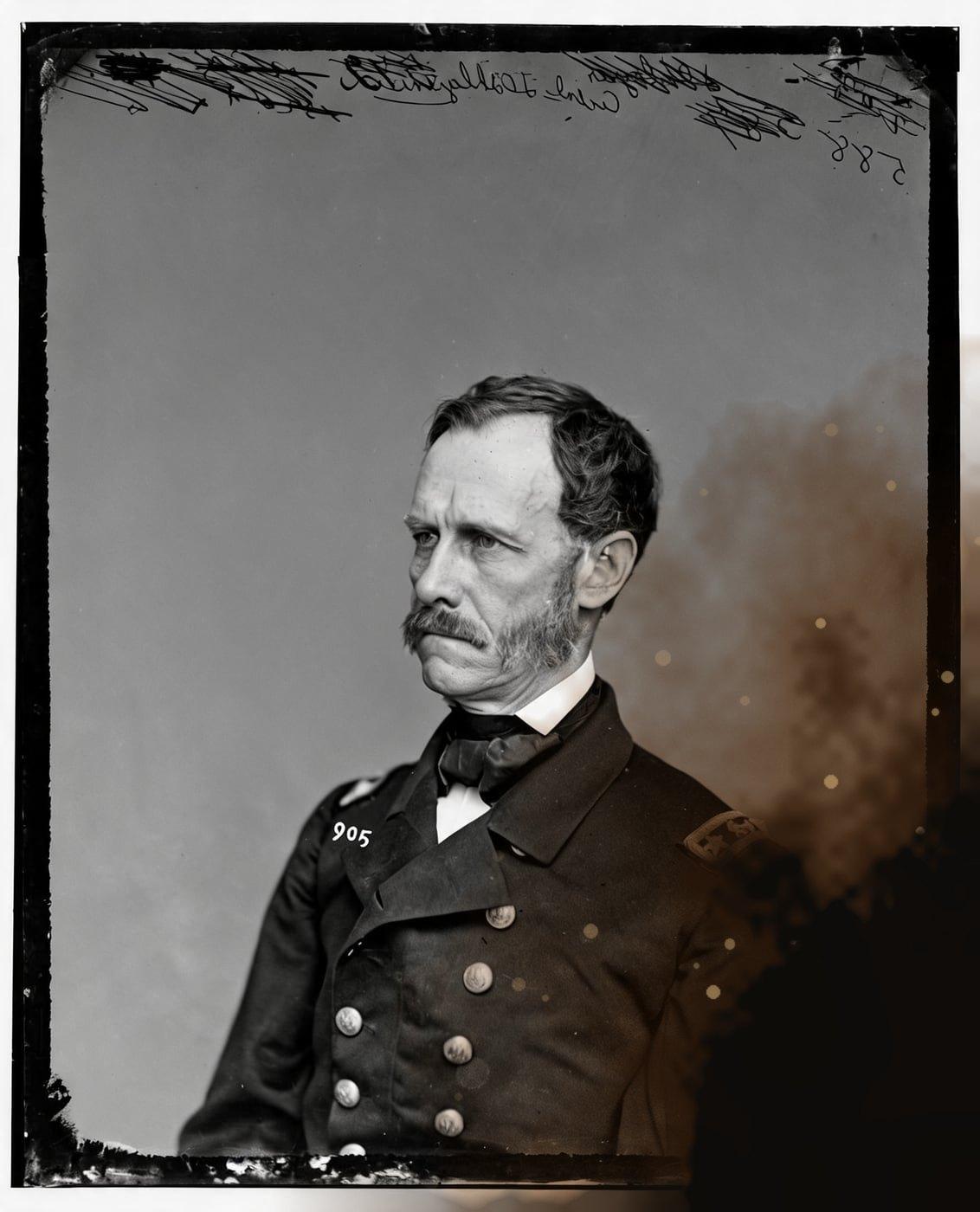
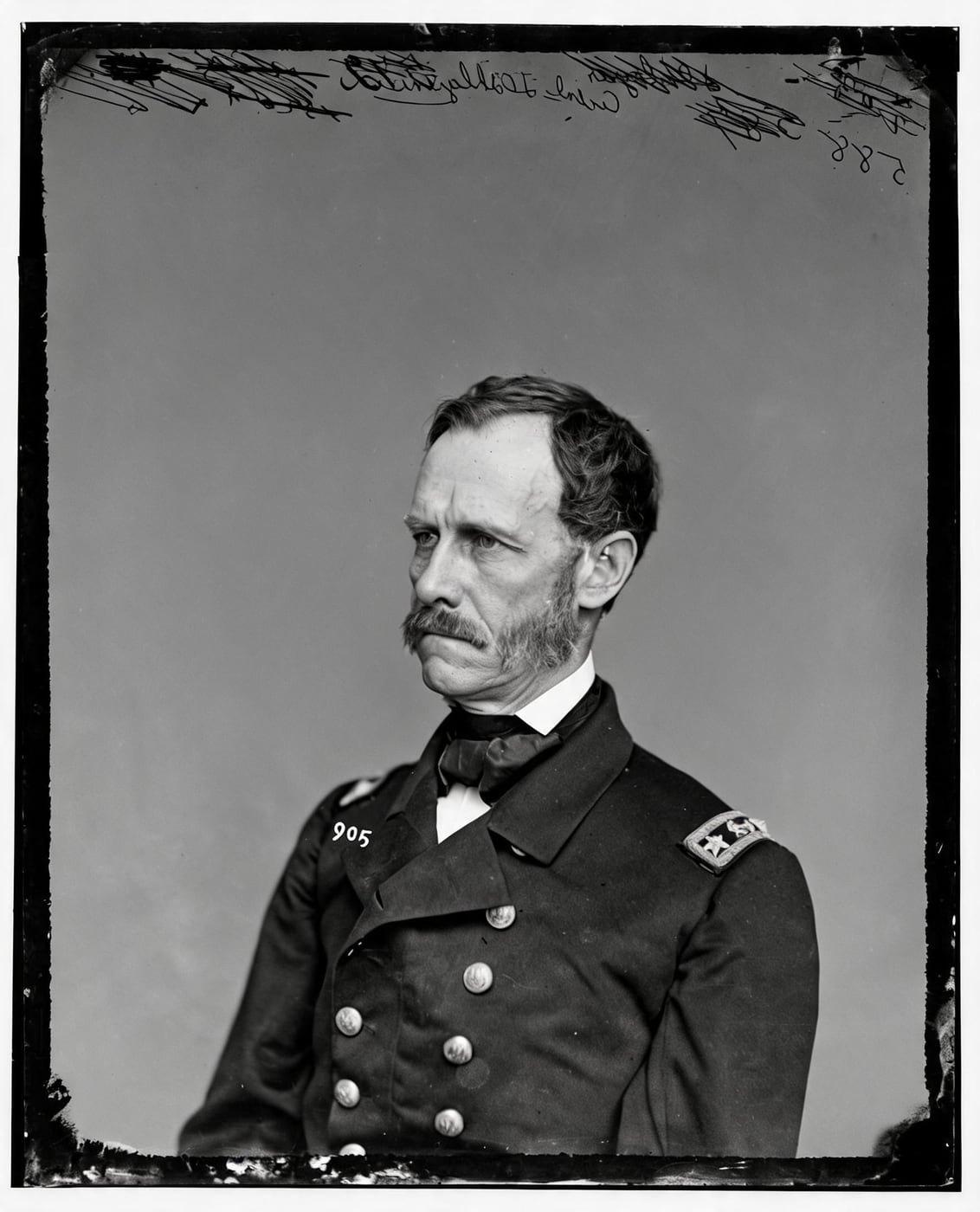
See a Fire Damaged Photo Repaired
Drag the handle to compare. This is an illustration, not a result: we added scorching, soot and heat bubbles digitally to an 1860s public-domain portrait, so you can see what the repair aims for. With your own photo, every result is checked against your original before you see it.
Restore fire damaged photos onlineRestore Fire Damaged Photos Online With AI
Restore Old Photos restores a scanned fire damaged photo online by lifting soot, smoke haze and discoloration and by repairing scorch marks and heat bubbling. Where fire burned an edge away, the Restore tool continues only plain background or border, so a burned-away face or figure stays lost and is never invented.
- per photo
- ≈ 1 min
- per photo
- per photo
- 1 credit
- per photo
- then your upload is deleted
- 24 h
- then your upload is deleted
What Fire Does to an Old Photo
Fire damages an old photo with soot film, smoke discoloration, heat blistering, scorched edges, burn holes and firefighting water stains, starting with the soot film across the image.
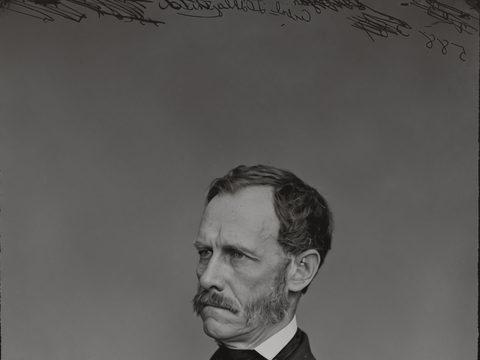
Fig. 3.1 · Illustration Soot Film Across the Image
A soot film looks like a gray, brown or black veil across the scanned print that flattens contrast and hides faces. Restore Old Photos removes the soot marks from the scan and brings back the tones underneath, so the fragile original never needs rubbing.
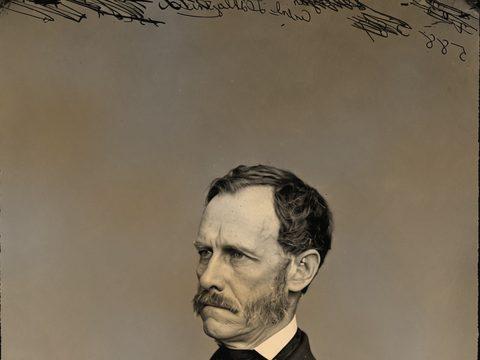
Fig. 3.2 · Illustration Smoke Discoloration
Smoke discoloration looks like a yellow, brown, gray or amber cast that dulls contrast and shifts the print's original color balance. The Restore tool lifts the smoke haze and corrects the color cast while keeping the same people and scene.
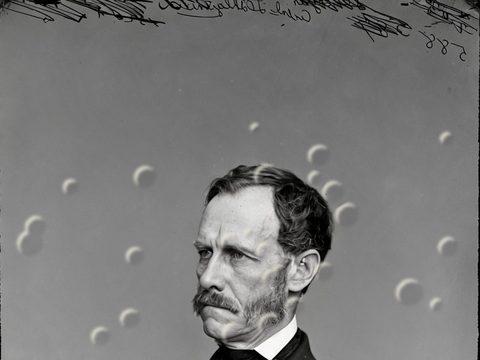
Fig. 3.3 · Illustration Heat Blistering and Bubbled Emulsion
Heat blistering looks like raised bubbles, ripples or lifted patches where heat distorted the photo's emulsion layer. The burn-mark repair in Restore Old Photos smooths the heat bubbling on the scan, but detail the heat destroyed stays lost.
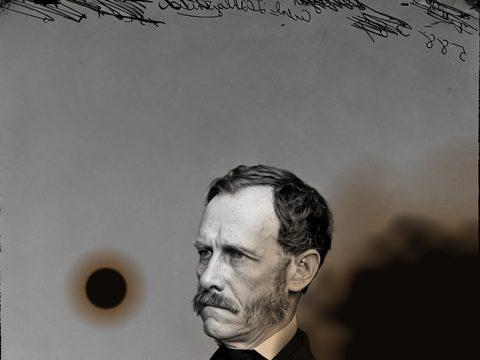
Fig. 3.4 · Illustration Scorched Edges and Burn Holes
Scorched edges look blackened, brittle or curled, and burn holes show where fire consumed the print. Restore Old Photos repairs the scorch marks and continues only plain background or border across a burned-away edge or hole, never a face, figure or object.
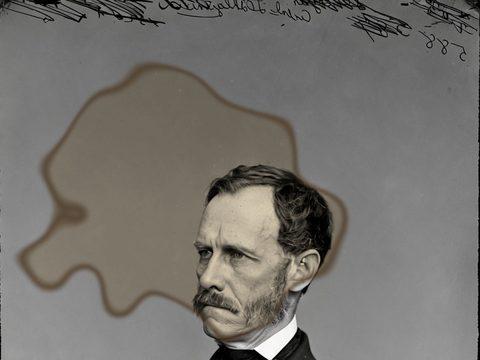
Fig. 3.5 · Illustration Firefighting Water Stains
Firefighting water stains look like tide lines, cloudy patches, uneven darkening or dye runs on the print. The water damage repair in Restore Old Photos reduces the stains and evens out the tones, though severe emulsion loss can leave details beyond recovery.
Fire Damaged Photos You Can Still Save
The fire damaged photos you can still save include prints kept inside albums and boxes, framed photos fused to glass and partly burned portraits.
Prints Kept Inside Albums and Boxes
Prints kept inside albums and boxes tend to survive a fire because the pages and containers shield them from direct flames and heat. After a safe salvage and scan, Restore Old Photos lifts the soot and smoke marks and repairs the creases on each album print.
Framed Photos Fused to Glass
A framed photo fused to glass can still be photographed through the glass, and Restore Old Photos restores the image from that capture. The print stays attached to the glass, because pulling it free causes further damage.
Partly Burned Portraits
Restore Old Photos cleans soot, smoke and scorch marks from the surviving parts of a partly burned portrait and keeps the same face through its same-faces check. A face or figure that burned away stays lost, and only plain background or border is continued.
Salvaging a Fire Damaged Photo Before Scanning
Salvaging a fire damaged photo before scanning means waiting until the fire department confirms the home is safe to enter and making an inventory of damaged items before discarding any, as “Home Fires” by Ready.gov (U.S. Department of Homeland Security, February 2026) advises, then touching soot-covered prints as little as possible, as “After the Fire: Advice for Salvaging Damaged Family Treasures” by the Heritage Emergency National Task Force (FEMA and the Smithsonian Institution, August 2023) recommends.
Wait Until the House Is Safe to Enter
A fire damaged house is safe to enter for photo recovery only after the fire department says so, because floors and walls may not be as safe as they look, according to “After the Fire” (FA-46) by the U.S. Fire Administration, January 2019.
Handle Soot-Covered Prints by the Edges
Soot-covered prints are lifted by their edges, without rubbing the image surface, because rubbing smears the soot and abrades the emulsion. The Centers for Disease Control and Prevention advises gloves to protect the skin and a NIOSH Approved N95 respirator to limit the ash breathed in during cleanup, in “Safety Guidelines: After a Wildfire” (reviewed August 2026).
Keep Smoke-Damaged Prints Dry and Unwiped
Smoke-damaged prints stay dry and unwiped until scanning because wiping presses soot into the emulsion and leaves stains or abrasion. A photo or scan then captures the salvaged print without anyone touching its surface.
How to Restore a Fire Damaged Photo Online
To restore a fire damaged photo online, follow five steps: photograph or scan the salvaged print, upload the scan, run soot and smoke removal, rebuild the burned or missing areas and download a print-ready copy.
Step 1 of 5
Photograph or Scan the Salvaged Print
Photograph or scan the salvaged print flat and whole, under even light, with the camera held parallel to the image. Do not force a brittle, warped or stuck photograph flat, because pressure worsens the damage.
Restore fire damaged photos onlineFig. 1 · The photo you add · illustration Step 2 of 5
Upload the Scan
Upload the scan of the fire damaged print to Restore Old Photos, one photo per upload, as a JPEG, PNG or WebP file. A sharp, high-resolution scan gives the Restore tool the most detail to work from.
Step 3 of 5
Run Soot and Smoke Removal
Run Restore on the uploaded scan, and Restore Old Photos lifts soot, smoke haze and discoloration in about a minute while keeping the same faces. The same run then moves on to the burned or missing areas.
Step 4 of 5
Rebuild Burned or Missing Areas
Restore Old Photos repairs scorch marks and heat bubbling and continues plain background or border where an edge burned away, while a burned-away face or figure stays lost. For heavy damage, add the bolder version next to the faithful one, at 1 credit each.
Step 5 of 5
Download a Print-Ready Copy
Download the restored photo at about 2K (2048 px on its long side), with no watermark and an IPTC “made with AI” label in the file's metadata. Print detail depends on the image's pixel dimensions, with 300 PPI at the intended print size a common target.
Restore fire damaged photos online Same people · checkedFig. 5 · After (illustration)
AI Restoration Versus a Fire Restoration Company
AI restoration repairs a digital scan of the photo, reducing soot, smoke haze, stains and tears in the copy, while a fire restoration company works on the physical print by stabilizing it and arranging specialist conservation. Digital repair cannot stabilize an unstable original, and physical cleaning cannot recreate image detail that the fire destroyed.
Documenting Damaged Photos for an Insurance Claim
Fire damaged photos are documented for an insurance claim by photographing or filming each print in place and listing every damaged item before any cleaning. Keep the damaged photos until the adjuster has visited, where possible, and save receipts for any salvage costs, as the Insurance Information Institute recommends in “How to file a homeowners claim”.
How Restore Old Photos Removes Soot Marks and Rebuilds Burned Areas in One Pass
Restore Old Photos removes soot marks and smoke haze, repairs scorch marks and heat bubbling, continues plain background or border where an edge burned away, and mends tears, stains and creases in one pass. Each run makes a faithful version and can add a bolder version, at 1 credit each. Restore can add colour to a black-and-white photo in the same pass at no extra credit.
Fire Damaged Photo Restoration Pricing
1 credit restores one photo, and a second, bolder version is 1 more. Packs start at $2.99, never renew, and their credits never expire.
Pack 01
Starter
A few favourite photos, restored and colorized.
$2.99one-time
60¢ a photo
- 5 photos restored, colorized or enhanced
- Or 1 animated clip
- Full size, no watermark
- Credits never expire
- Never renews
Most chosen
Pack 02
Family
An album's best photos, with a clip of the one you love most.
$7.99one-time
44¢ a photo
- 18 photos restored, colorized or enhanced
- Or 4 animated clips
- Full size, no watermark
- Credits never expire
- Never renews
Pack 03
Archive
For the shoebox in the attic and the family historian.
$19.99one-time
40¢ a photo
- 50 photos restored, colorized or enhanced
- Or 12 animated clips
- Full size, no watermark
- Credits never expire
- Never renews
One-time payments in US dollars. Compare credit packs and monthly plans
Fire Damaged Photo FAQ
Can One Restoration Fix Every Kind of Fire Damage on a Photo?
No, one restoration cannot fix every kind of fire damage on a photo, because detail that burned away stays lost, though Restore Old Photos repairs soot, smoke, scorch marks and the cleanup tears and smoke-darkened black-and-white prints covered below.
- Repairing Tears and Creases From the Cleanup: Restore Old Photos repairs tears and creases left by the fire cleanup by closing the tear lines and smoothing the fold lines in the scan. The digital repair changes the scanned copy, not the original print.
- Recovering Black-and-White Prints Darkened by Smoke: Restore Old Photos recovers the tones of a black-and-white print darkened by smoke by lifting the brown or gray smoke cast and restoring contrast. The repaired print keeps its black-and-white tones unless the colour option is chosen.
Can a Smoke-Damaged Photo Look Like the Original Again?
Yes, a smoke-damaged photo can look like the original again when the faces are still partly visible under the soot. Restore Old Photos lifts the soot and discoloration but cannot bring back detail that flame destroyed, so the recovered print keeps its true faces through fire damaged photo restoration of old photos online.
Should I clean soot off a photo before scanning it?
No. Wiping soot smears it and scratches the surface. Scan the photo as it is; the staining is taken out of the copy.
What if part of a face burned away?
Then it can't be brought back faithfully, and we won't guess. A result that changes or invents a face fails the likeness check and its credit comes back. If you have another photo of the same person, restore that one too.
Will the people still look like themselves?
That is the one thing Restore Old Photos checks on every result. Each one gets a structure score against your original and an AI check that the same people are there, with nothing added or removed. A result that fails is remade once on a backup model; if it still fails, it's dropped and the credit comes back to you.
What Should You Do With Photos Right After a House Fire?
The first things to do with photos right after a house fire are to wait until the house is declared safe, document the damage, move dry prints to a clean area and set wet prints aside for drying or freezing, since the deterioration of wet materials accelerates once recovery is delayed more than 48 hours, according to “Emergency Salvage of Wet Books and Records” by the Northeast Document Conservation Center, revised 2023.
- Freeze-Drying Prints Soaked by Fire Hoses: The Northeast Document Conservation Center leaflet “Emergency Salvage of Wet Photographs” by Gary Albright (revised 2020) states that wet photographs that cannot be air-dried quickly should be frozen, and that frozen photographs can be vacuum freeze-dried without thawing. Wrap the hose-soaked prints in non-woven polyester or waxed paper, seal them in plastic bags and ask a photograph conservator to arrange the freeze-drying.
- Separating Prints Melted to Frame Glass: Do not separate a print melted to frame glass, because removal can tear the image emulsion. Keep the print and glass together, photograph the image through the glass and consult a photograph conservator.
- Pulling Smoke-Damaged Prints From Magnetic Albums: Pull smoke-damaged prints from magnetic albums by lifting the clear plastic cover slowly and stopping as soon as the softened adhesive resists. A print that stays stuck is scanned in place and left to a photograph conservator, because pulling can tear the print and strip away its image layer.
Where Can Copies of Fire-Lost Photos Turn Up?
Copies of fire-lost photos turn up in relatives' albums, family digital archives, duplicate prints and negatives that survived the fire.
- Asking Relatives for Duplicate Prints: Relatives can hold duplicate prints or digital copies of fire-lost photos in their albums, boxes or framed displays. Family members who check their collections can share high-quality scans, and copies kept with separate relatives then serve as off-site backups.
- Negatives That Survived the Fire: A negative that survived the fire gives a new copy of a lost print through scanning or professional duplication, because the negative holds the image even when the paper print is gone. Store the surviving negative separately in a photo-safe enclosure.
How Can You Protect Restored Fire Photos From Another Disaster?
To protect restored fire photos from the next disaster, scan every surviving print, keep the digital copies in separate locations and store the originals in photo-safe enclosures away from heat and water.
- Scanning Every Surviving Print: Scanning every surviving print protects each photo from the next disaster because the digital copy can be shared and reprinted without handling the original. Keep each scan in at least two separate locations, since a digital copy preserves the image but does not replace the physical print.
- Storing Prints in Fire-Resistant Archival Boxes: Fire-resistant archival boxes protect stored prints by slowing brief heat exposure, but no box guarantees that a photo survives a severe fire. Inside the box, house each print in an enclosure made of materials that pass the Photographic Activity Test (PAT) under ISO 18902, and keep the box in a cool, dry and stable room, as the Library of Congress Preservation Directorate sets out in “Care, Handling, and Storage of Photographs”.
What does Restore Old Photos do with the photos I upload?
The original is used only to make your results and is deleted from our servers within 24 hours by an hourly clean-up, or at once if you delete it. Your results stay in your account until you delete them. Before upload, your browser shrinks the photo and strips its location data.
Does Restore Old Photos use my photos to train AI?
No. Restore Old Photos never uses your photos or results to train AI models. They're sent only to the AI providers that restore and check them, whose terms allow them to use what we send only to do that job.
Does Restore Old Photos have a free trial?
No, and so there's no trial to cancel and no weekly plan. You pay per photo with a one-time pack, from $2.99 (from 40¢ a photo), and a result that fails the check never costs a credit: it's dropped and the credit comes back.
What if a result fails?
You don't pay for it. Anything that isn't delivered, including a result held back because it failed our likeness check, is refunded to your balance automatically.
More Ways to Repair Old Photos
Fire damaged photo restoration
What the fire left, carefully repaired
Restore fire damaged photos online