Restore Old Photos / Remove handwriting from images
Remove Handwriting From Images: Erase Pen and Pencil Writing Online
Clear pen, pencil and ink writing off your old photos in about a minute, with every face checked to stay the same.
Remove handwriting from an image online by uploading a flat scan or photo and letting AI repair the pen, pencil, or marker strokes as marks on the image. Handwriting removal is the digital cleanup of written strokes from an image while the printed content and background stay as intact as possible. AI handwriting removal applies to notes, names, dates, and captions on worksheets, forms, contracts, PDF pages, and old photos; the steps explain how to upload an image, review the repair, and download a clean copy, while a later section describes how AI distinguishes handwriting from printed text. Compared with manual editing, AI handwriting removal reduces the time and retouching skill required. Restore Old Photos removes writing from old prints while restoring the photograph underneath, and that repair starts with the Remove Handwriting From Images Online upload on the page.
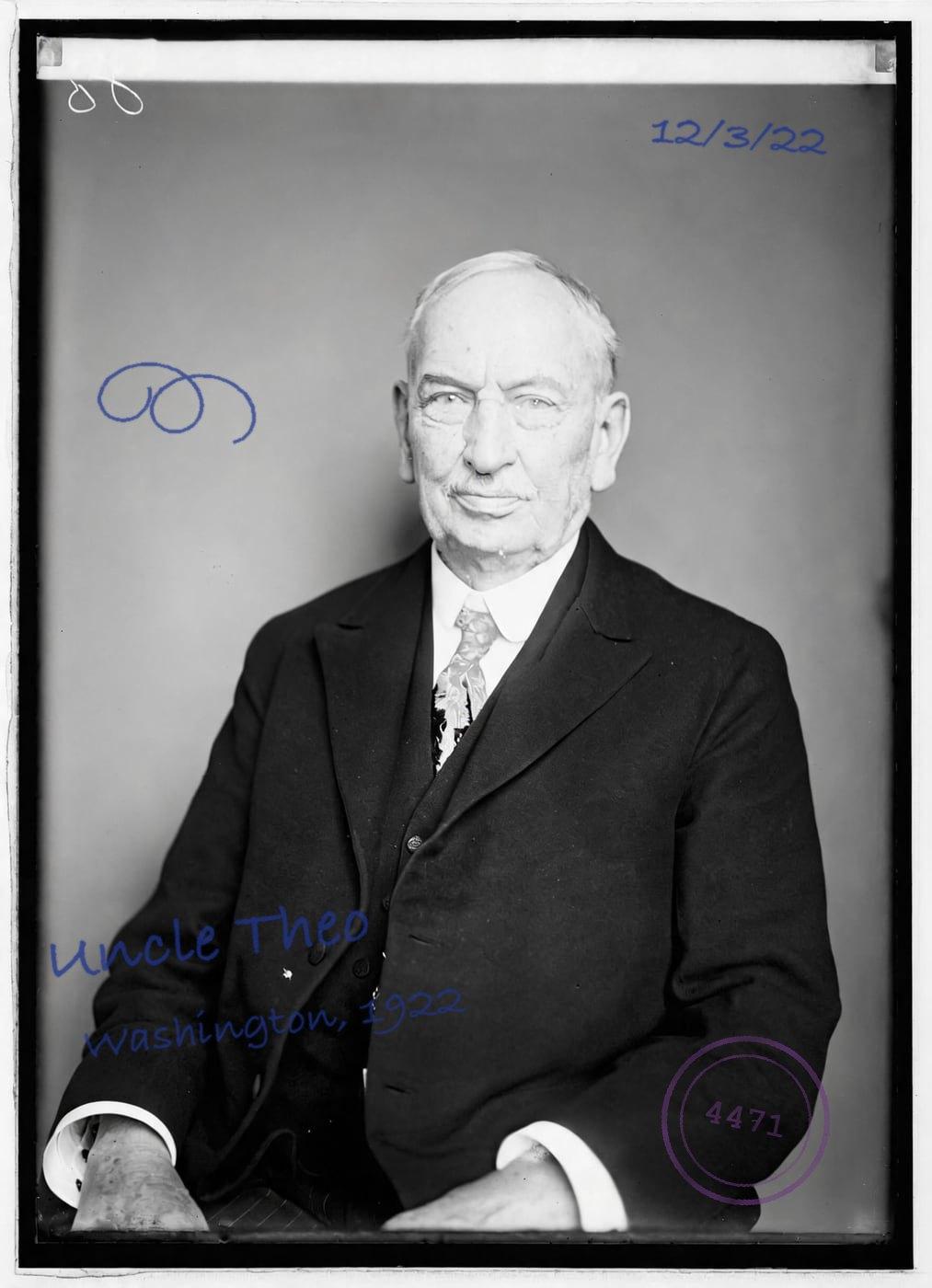
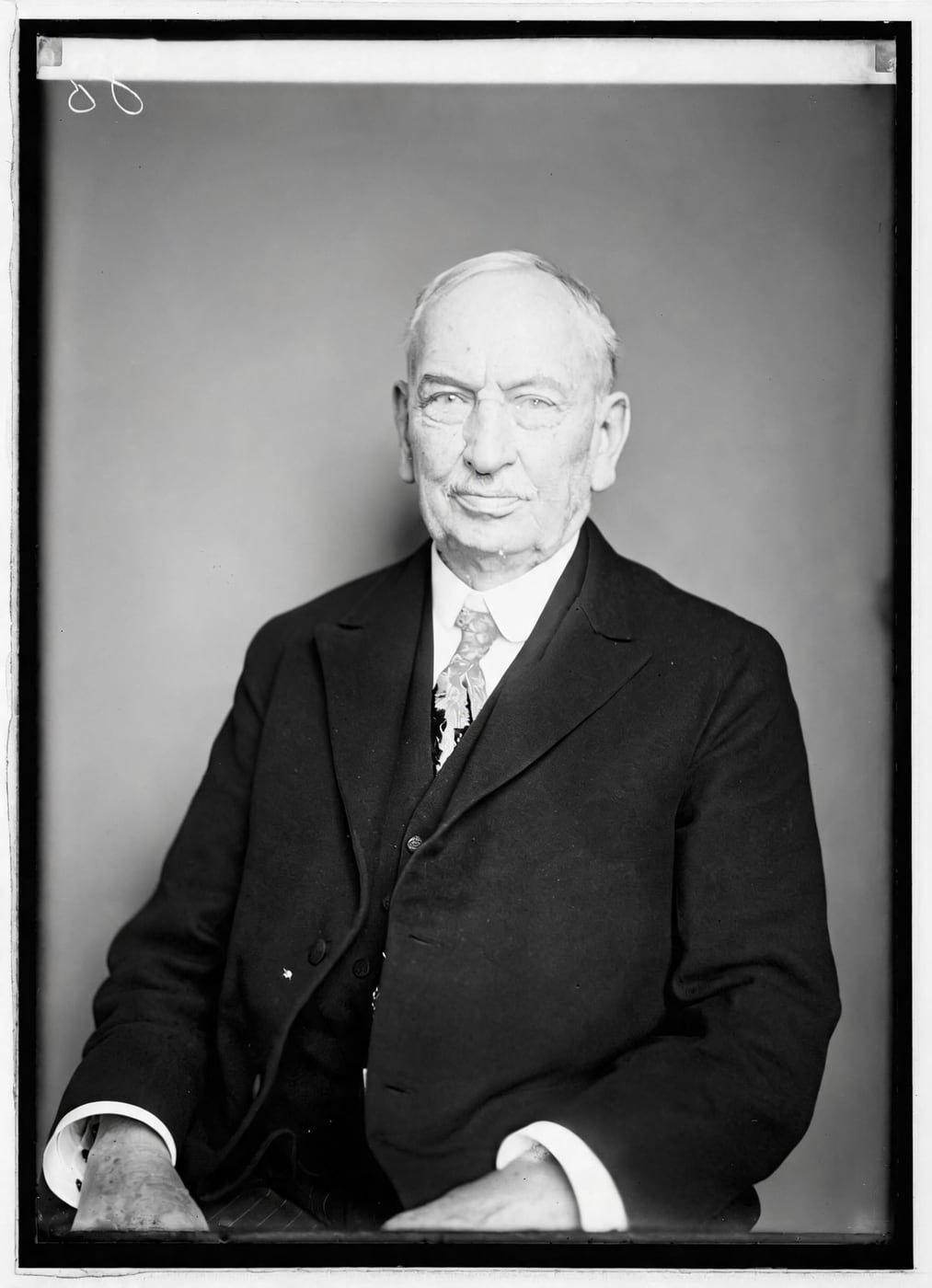
See Handwriting Removed from a Photo
Drag the handle to compare. This is an illustration, not a result: we added a pen inscription, a date, a doodle and an archive's ink stamp digitally to a public-domain portrait from 1921, so you can see what the repair aims for. With your own photo, every result is checked against your original before you see it.
Remove handwriting from images onlineRemove Handwriting From Images Online With AI
Restore Old Photos removes pen, pencil, ink, and marker handwriting from images online with the Remove handwriting option of the Restore tool, repairing the affected areas and blending them with the surrounding picture. The cleaned copy is a new file, and the original file on your device stays unchanged.
- per photo
- ≈ 1 min
- per photo
- per photo
- 1 credit
- per photo
- then your upload is deleted
- 24 h
- then your upload is deleted
Handwriting the AI Erases From Images
The handwriting the AI erases from images includes pen and ink writing, pencil marks, marker and highlighter strokes, and notes written over printed text, beginning with pen and ink.
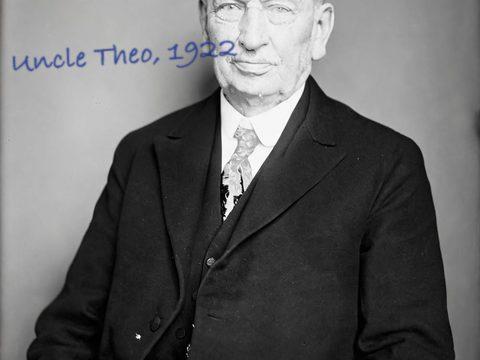
Fig. 3.1 · Illustration Pen and Ink Writing
Pen and ink writing appears on an image as dark, solid lines or handwritten letters. AI handwriting removal clears the ink marks and reconstructs the nearby paper, background, or photo detail while preserving the rest of the image.
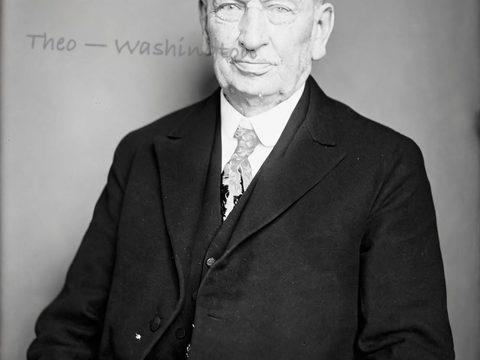
Fig. 3.2 · Illustration Pencil Marks
Pencil marks appear on an image as faint, uneven gray graphite strokes. AI repair detects the graphite lines and reconstructs the nearby paper, background, or printed areas while retaining the visible content underneath.
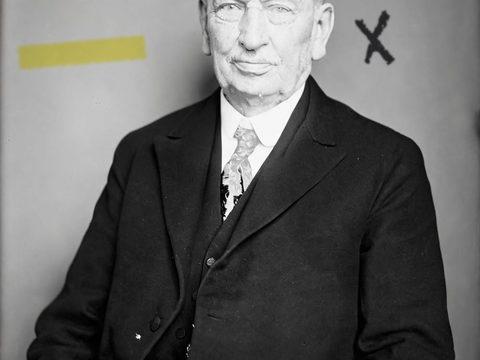
Fig. 3.3 · Illustration Marker and Highlighter Strokes
Marker and highlighter strokes appear on an image as broad, opaque or translucent bands, sometimes covering printed text. Handwriting removal clears the colored marks and reconstructs the covered area where possible, but heavy strokes can hide details that the repair cannot fully restore.
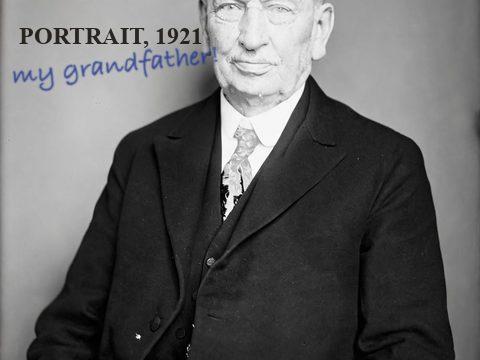
Fig. 3.4 · Illustration Notes Written Over Printed Text
Notes written over printed text appear as pen, pencil, or marker strokes crossing or covering letters and lines. AI repair can preserve much of the visible print, but text that the handwriting hides completely cannot be recovered reliably.
Images and Documents That Carry Handwriting
The images and documents that carry handwriting commonly include worksheets, scanned forms and contracts, PDF pages, and old photographs with written captions.
Worksheets and Student Assignments
Handwriting on worksheets and student assignments appears in answer spaces, in margins, and over printed questions. Removing the marks creates a clean copy for reuse, accessible digital sharing, or printing, while the original assignment stays unchanged.
Scanned Forms and Contracts
Handwriting on scanned forms and contracts appears in blank fields, beside printed clauses, and around signatures or dates, and a cleaned copy supports review or presentation. Keep the signed original unchanged: federal agencies must protect electronic records against unauthorized alteration and keep them complete and unaltered, according to the regulation “What records management controls must agencies establish for records in electronic information systems?” (36 CFR § 1236.10) issued by the National Archives and Records Administration in 2009.
PDF Pages
A PDF page with handwriting needs a document tool: Restore Old Photos restores photographs only, accepting JPEG, PNG, and WebP image files (HEIC in Safari).
Old Photos With Written Captions
Written captions on old photos appear along the border, in the front margin, or across the image. Handwriting removal erases the ink, pencil, or marker strokes and reconstructs the nearby photo detail, although covered image features may require approximation.
How to Remove Handwriting From an Image
To remove handwriting from an image, follow five steps: photograph or scan the page flat, upload the file, choose the Restore tool, review the cleaned image, and download the result.
Step 1 of 5
Photograph or Scan the Page Flat
To photograph or scan the page flat, place the page on a flat surface and hold the camera parallel to it to prevent skew and distortion. Boston University Libraries warns in “DIY Digitization Tips” that harsh, direct light causes highlights and reflections on the material, so use even, indirect light, keep all four corners visible, and check that the image is sharp before uploading the file.
Remove handwriting from images onlineFig. 1 · The photo you add · illustration Step 2 of 5
Upload the Image
To upload the image, add the flat scan or photo to Restore Old Photos as a JPEG, PNG, or WebP file (HEIC opens in Safari). Restore Old Photos restores photographs rather than documents or PDF pages, so upload a scan or photo of the print itself.
Step 3 of 5
Keep Remove Handwriting Ticked
To erase the writing, choose the Restore tool with Remove handwriting ticked (it is ticked by default on this page) rather than a selective brush. The Restore tool repairs the whole uploaded image, writing marks included, while preserving the surrounding details.
Step 4 of 5
Review the Cleaned Image
To review the cleaned image, use the before-and-after slider to compare the cleaned image with the original. Check that the handwriting is gone and that faces, printed text, and the surrounding background are unchanged.
Step 5 of 5
Download or Export the Result
To download the result, save the cleaned image at full size after reviewing the repair. Keep the exported file for sharing or further use, and store the original image separately for comparison.
Remove handwriting from images online Same people · checkedFig. 5 · After (illustration)
AI Handwriting Removal Versus Manual Editing
AI handwriting removal differs from manual editing by detecting written strokes and reconstructing the marked areas in one automated pass, so cleanup usually takes less time. Manual editing requires more skill and time because editors select, clone, and heal areas while matching surrounding textures, but manual retouching offers finer control over complex details.
Cleanup for Many Photos
Many photos are cleaned image by image in Restore Old Photos, with one file per upload and about a minute for each image. A larger credit pack or the monthly plan can support frequent use of Restore Old Photos.
One Credit per Cleaned Image
Restore Old Photos charges one credit per cleaned image, taken from a credit pack or monthly plan. A result that fails the same-faces check costs no credit.
How Restore Old Photos Removes Handwriting and Restores the Photo Underneath
Restore Old Photos removes handwriting with the Remove handwriting option of the Restore tool, which repairs ink marks in one pass alongside scratches, tears, stains, creases, and fading and rebuilds the photo underneath. Every result keeps the same faces, and the Restore tool offers a faithful or a bolder version, with optional colour added at no extra credit.
Handwriting Removal Pricing
1 credit restores one photo, and a second, bolder version is 1 more. Packs start at $2.99, never renew, and their credits never expire.
Pack 01
Starter
A few favourite photos, restored and colorized.
$2.99one-time
60¢ a photo
- 5 photos restored, colorized or enhanced
- Or 1 animated clip
- Full size, no watermark
- Credits never expire
- Never renews
Most chosen
Pack 02
Family
An album's best photos, with a clip of the one you love most.
$7.99one-time
44¢ a photo
- 18 photos restored, colorized or enhanced
- Or 4 animated clips
- Full size, no watermark
- Credits never expire
- Never renews
Pack 03
Archive
For the shoebox in the attic and the family historian.
$19.99one-time
40¢ a photo
- 50 photos restored, colorized or enhanced
- Or 12 animated clips
- Full size, no watermark
- Credits never expire
- Never renews
One-time payments in US dollars. Compare credit packs and monthly plans
Handwriting Removal FAQ
Can You Erase Writing From an Old Photo the Same Way?
Yes, Restore Old Photos erases writing from an old photo the same way, removing handwriting from a scan of the print while restoring the photo underneath.
- Erasing Ink Dates and Names From Old Prints: Ink dates and names on the front of an old print are erased from the scan like other marks. Restore Old Photos repairs the covered area by reconstructing the image from the surrounding visual details, so keep an untouched scan of the original print.
Is Erased Handwriting Gone From the Original Image?
No, erased handwriting is not gone from the original image: removing handwriting creates a separate cleaned image file, while the original keeps its pen, pencil, or marker writing. Keep the untouched original safely stored, and use the cleaned copy when you remove handwriting from images online.
Will a normal restore remove the writing on my photo?
Not unless you ask. With Remove handwriting off, a restore keeps handwriting, captions and dates as they are, because they're often the only record of who is in a photo. To remove writing, keep Remove handwriting ticked here (it is by default) or tick it on the Create page.
Does removing handwriting cost extra?
No. It's part of the restore: 1 credit per version, with scratches, spots and fading repaired in the same pass.
Will the people still look like themselves?
That is the one thing Restore Old Photos checks on every result. Each one gets a structure score against your original and an AI check that the same people are there, with nothing added or removed. A result that fails is remade once on a backup model; if it still fails, it's dropped and the credit comes back to you.
Which Other Marks Disappear From Old Photo Scans?
The other marks that disappear from old photo scans are tape marks, scanning dust specks, and glare from phone photos of prints.
- Tape Marks Left on Old Prints: Tape marks left on old prints are cleaned from the scan by AI photo repair, which detects tape residue and strip-shaped marks and reconstructs the covered paper or image detail. Tape can hide texture or picture information, so review the cleaned result and keep an untouched copy of the original scan.
- Dust Specks Picked Up While Scanning: Dust specks picked up while scanning are removed by AI cleanup, which fills each spot with nearby background or image detail. Keep the untouched scan as the archival original so the cleanup does not replace the source document.
- Glare on Phone Shots of Prints: Glare on phone shots of glossy prints is reduced by avoiding flash, using soft, even light, and adjusting the camera or light angle. Reflections that obscure fine text, faces, or image details hide information that no repair can recover reliably.
Can it remove a stamp or the date a camera printed?
Yes. Ink stamps, such as a studio's or an archive's, and the date some cameras printed in the corner are removed along with the handwriting.
Should You Record the Writing Before Erasing It?
Yes, record the names and dates before erasing the writing from a photograph, and keep the written back, since “Photo Preservation for Family History” by Kathryn Grant, published by FamilySearch in October 2022, advises adding names, dates, and locations to every digital photo.
- Keeping the Written Back in Your Family Archive: Keeping the written back of a family photograph preserves the names, dates, places, and other notes that belong with the image. Scan the reverse and store it with the photograph's record to retain its family history.
What does Restore Old Photos do with the photos I upload?
The original is used only to make your results and is deleted from our servers within 24 hours by an hourly clean-up, or at once if you delete it. Your results stay in your account until you delete them. Before upload, your browser shrinks the photo and strips its location data.
Does Restore Old Photos use my photos to train AI?
No. Restore Old Photos never uses your photos or results to train AI models. They're sent only to the AI providers that restore and check them, whose terms allow them to use what we send only to do that job.
Does Restore Old Photos have a free trial?
No, and so there's no trial to cancel and no weekly plan. You pay per photo with a one-time pack, from $2.99 (from 40¢ a photo), and a result that fails the check never costs a credit: it's dropped and the credit comes back.
What if a result fails?
You don't pay for it. Anything that isn't delivered, including a result held back because it failed our likeness check, is refunded to your balance automatically.