Restore Old Photos / Restore old Polaroids
Restore Old Polaroids Online: Fix Faded and Color-Shifted Instant Photos
Bring your faded Polaroids back to life in about a minute: colors rebalanced and marks repaired, with every face kept as it was.
To restore an old Polaroid online, upload a scan with its white frame and let the AI recover the faded, shifted instant-film colors while keeping the same faces. Polaroid restoration is the digital repair of fading, color shifts, chemical blotches, scratches, and cracks on scanned SX-70, 600, and peel-apart prints. The guide covers the Polaroid damage the AI repairs, the instant film formats it restores, the steps for scanning, uploading, color correction, damage repair, and upscaling, and how the AI brings back Polaroid colors; a before-and-after illustration then shows a faded instant print beside a clean one, followed by the rest of a 1970s family album. Restore Old Photos repairs faded Polaroid colors in one pass, so select Restore Old Polaroids Online to begin.
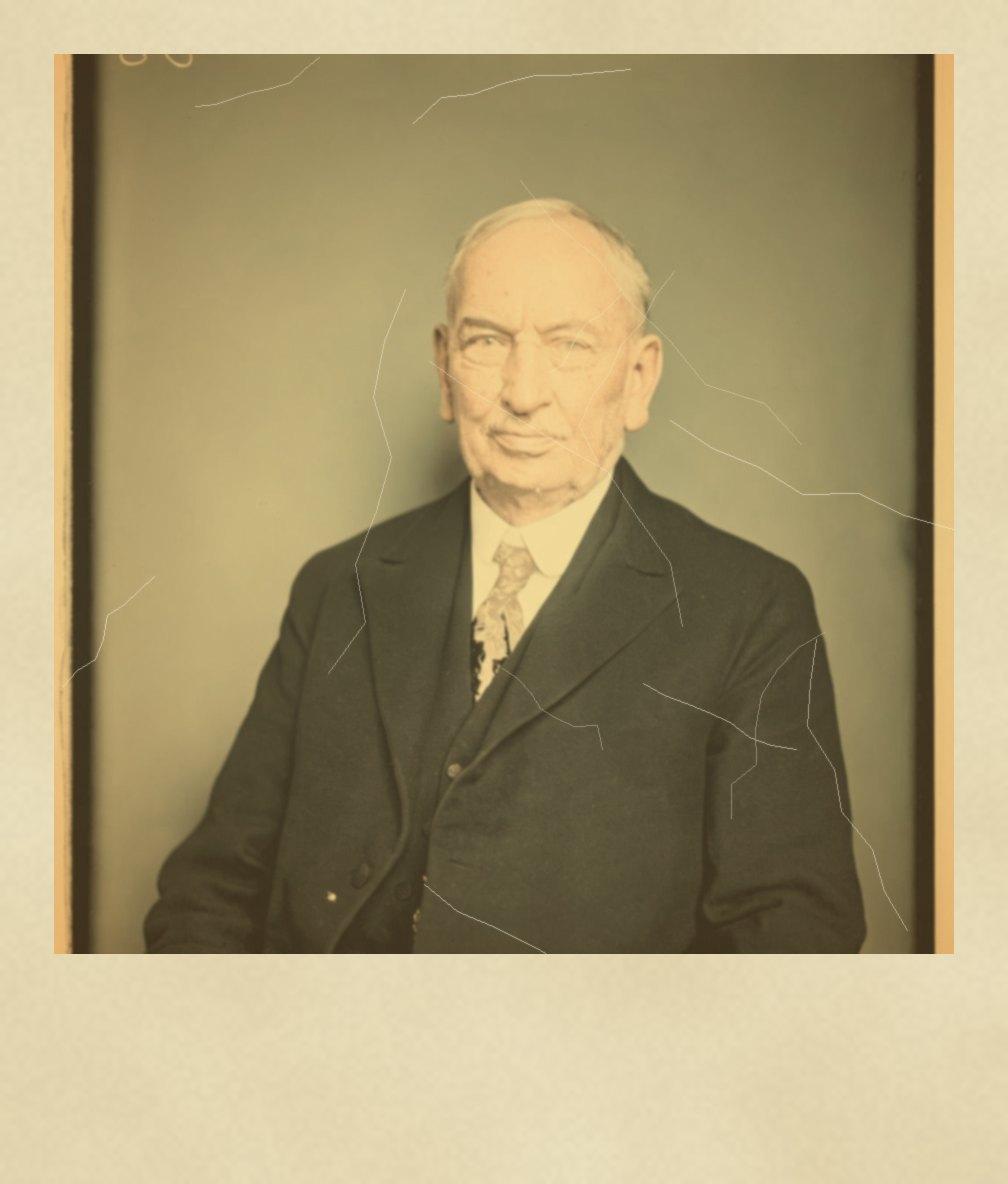
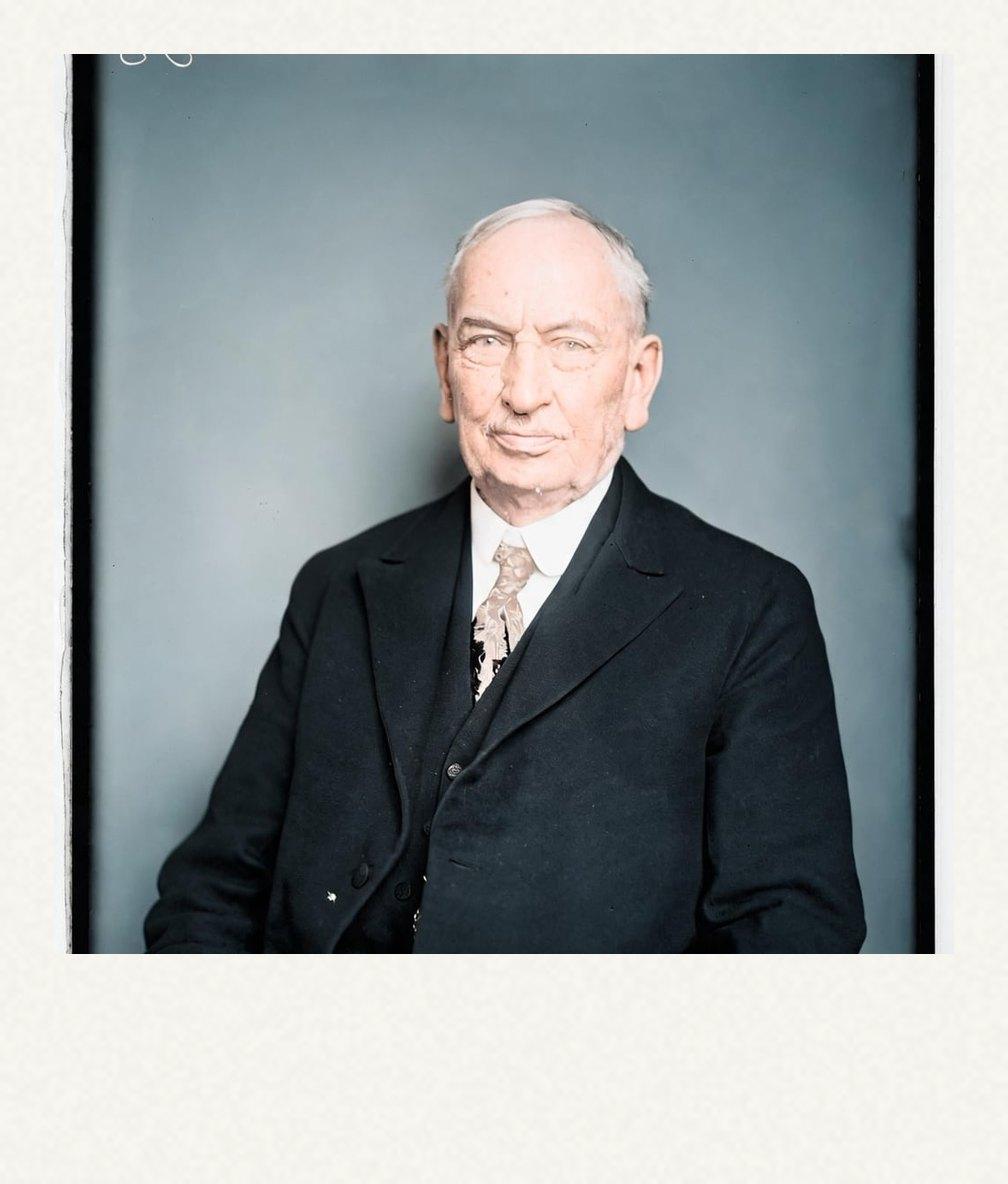
Polaroid Restorations Before and After
Drag the handle to compare. This is an illustration, not a result: we added an instant-photo frame, then fading and a yellow-orange colour shift digitally to a colorized public-domain portrait from 1921, so you can see what the repair aims for. With your own photo, every result is checked against your original before you see it.
The before-and-after illustration on this page shows an instant print with fading and a yellow-orange color shift added digitally. The after version is the clean photo, with stronger color and clearer details in the same subject and composition.
Restore old Polaroids onlineRestore Old Polaroids Online With AI
Restore Old Photos restores old Polaroids online with AI by repairing faded colors, color shifts, and visible damage in scanned instant prints. The Restore tool keeps identifiable faces, the original composition, and the Polaroid’s white frame and instant-film character.
- per photo
- ≈ 1 min
- per photo
- per photo
- 1 credit
- per photo
- then your upload is deleted
- 24 h
- then your upload is deleted
Polaroid Damage the AI Repairs
The Polaroid damage the Restore Old Photos AI repairs comes in five forms, beginning with faded prints that have lost color and contrast.
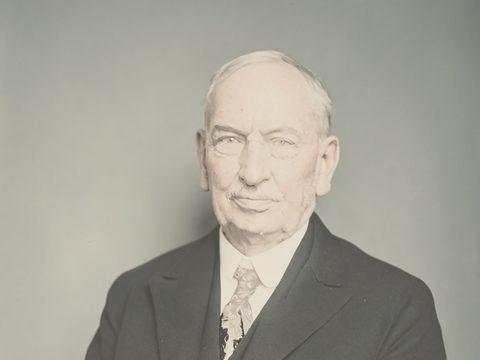
Fig. 3.1 · Illustration Faded Instant Prints
A faded instant print looks pale or washed out, with low contrast and weakened detail in faces and clothing. Restore Old Photos corrects the faded colors and contrast while preserving the original composition, and severely lost detail may need reconstruction.
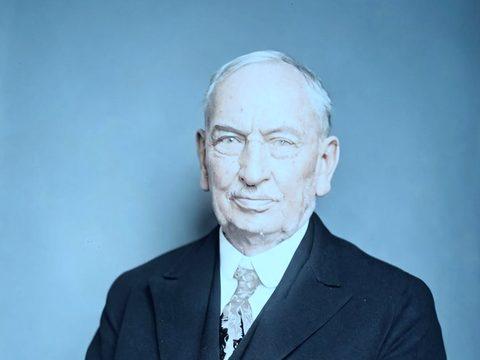
Fig. 3.2 · Illustration Blue and Cyan Color Shifts
Blue and cyan color shifts make old Polaroids look unnaturally cool, with pale blue or turquoise replacing warm skin tones and neutral colors. AI color correction in Restore Old Photos rebalances the color channels to restore more natural hues while preserving identifiable faces and the instant-film character.
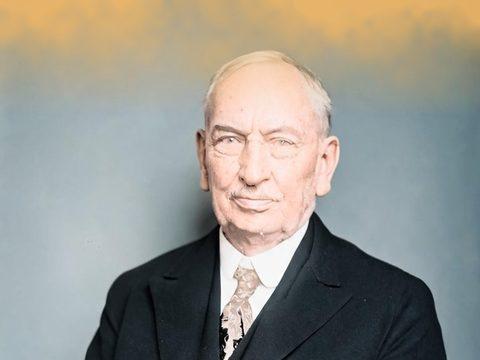
Fig. 3.3 · Illustration Chemical Blotches From the Reagent Pod
Chemical blotches from the reagent pod appear as yellow-brown stains, cloudy patches, or uneven bands, usually near the edge of an instant print. The blotches trace back to the developing chemicals that the camera’s rollers spread across the film surface as the print is ejected, according to “What’s that stuff? Instant Film” by Lisa M. Jarvis, Chemical & Engineering News, March 2009, and Restore Old Photos reduces the visible marks and reconstructs affected detail from nearby image information.
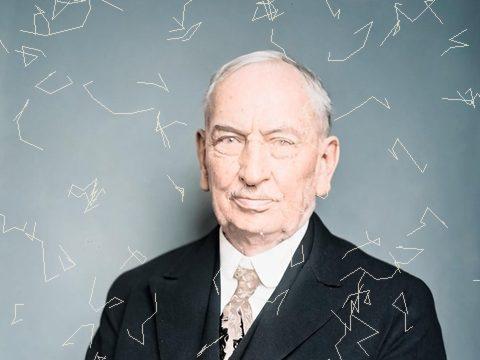
Fig. 3.4 · Illustration Cracked Emulsion
Cracked emulsion appears as fine lines, surface crazing, or lifted patches in the image layer of a Polaroid. Restore Old Photos retouches the visible cracks in a scan, while a conservator should assess physical flaking or delamination on the original print.
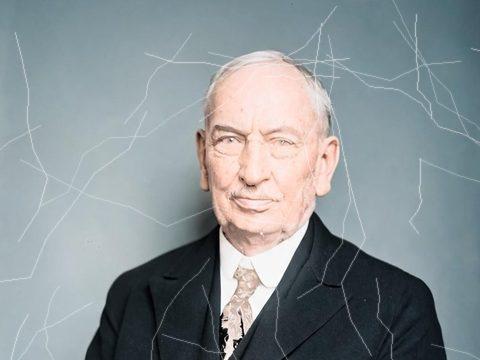
Fig. 3.5 · Illustration Scratches on the Plastic Surface
Scratches on a Polaroid’s plastic surface appear as thin white, dark, or hairline marks across the glossy image area. After scanning, Restore Old Photos removes the scratches by reconstructing nearby details while preserving faces and the white frame.
Instant Film Formats the Tool Restores
The instant film formats Restore Old Photos restores are SX-70 prints, Polaroid 600 prints, and peel-apart Polaroid prints.
Polaroid SX-70 Prints
Polaroid SX-70 prints stand apart because SX-70 instant film seals the image and developing chemistry inside one self-developing print, and Polaroid introduced the SX-70 camera system in 1972, as Baker Library Historical Collections at Harvard Business School records in “Research and Development, Project Code SX-70”. Restore Old Photos corrects fading, color shifts, scratches, and stains on SX-70 prints while preserving the square image and white border.
Polaroid 600 Prints
Polaroid 600 prints stand apart through higher-speed ISO 640 instant film, introduced in the early 1980s as a successor to SX-70 film. Restore Old Photos repairs faded colors, color shifts, stains, and scratches on 600 prints while preserving the faces, white frame, and square format.
Peel-Apart Polaroid Prints
Peel-apart Polaroid prints stand apart because they develop as separate positive and negative sheets, with rollers spreading reagent between the layers before the negative is peeled away. Restore Old Photos repairs fading, chemical marks, and scratches on scanned peel-apart prints while preserving the image and original borders.
How to Restore an Old Polaroid Online
To restore an old Polaroid online, follow five steps: scan the print with its white frame, upload the scan, correct the faded colors, repair blotches and cracks, and upscale the image for framing.
Step 1 of 5
Scan the Polaroid With Its White Frame
To scan the Polaroid with its white frame, lay the print flat with the complete frame visible and use even light to prevent glare and cropped edges. Save the full-frame image as the scan you upload for restoration.
Restore old Polaroids onlineFig. 1 · The photo you add · illustration Step 2 of 5
Upload the Scan
To upload the scan, add the scanned Polaroid to Restore Old Photos from your device, one photo per upload. Keep the full print and white frame visible so the AI can assess the instant photo’s colors and damage.
Step 3 of 5
Correct the Faded Colors First
To correct the faded colors first, choose Restore, which rebalances the washed-out tones and the blue, cyan, or red shifts while preserving faces and composition. With the Polaroid color balanced, the same pass moves on to repairing chemical blotches and cracked emulsion.
Step 4 of 5
Repair Blotches and Cracks
To repair blotches and cracks along with the color correction, let the Restore tool fix chemical blotches, cracked emulsion, and scratches while it preserves faces and the white frame. Review the restored Polaroid before upscaling, since severe damage may require reconstruction of details that the original print no longer retains.
Step 5 of 5
Upscale the Small Print for Framing
To upscale the small print for framing, use Enhance to enlarge the restored Polaroid to about 4096 pixels on its long side, improving resolution for printing or framing. Keep the original square composition and white frame intact while Enhance enlarges the small print.
Restore old Polaroids online Same people · checkedFig. 5 · After (illustration)
How Restore Old Photos Restores Faded Polaroid Colors in One Pass
Restore Old Photos restores faded Polaroid colors in one pass with the Restore tool, which brings back the colors and repairs scratches, stains, creases, and fading together. The Restore tool makes a faithful version and can add a bolder version. Restore Old Photos checks every result for the same faces, so the restored Polaroid shows the same people with nothing added or removed.
Polaroid Restoration Pricing
1 credit restores one photo, and a second, bolder version is 1 more. Packs start at $2.99, never renew, and their credits never expire.
Pack 01
Starter
A few favourite photos, restored and colorized.
$2.99one-time
60¢ a photo
- 5 photos restored, colorized or enhanced
- Or 1 animated clip
- Full size, no watermark
- Credits never expire
- Never renews
Most chosen
Pack 02
Family
An album's best photos, with a clip of the one you love most.
$7.99one-time
44¢ a photo
- 18 photos restored, colorized or enhanced
- Or 4 animated clips
- Full size, no watermark
- Credits never expire
- Never renews
Pack 03
Archive
For the shoebox in the attic and the family historian.
$19.99one-time
40¢ a photo
- 50 photos restored, colorized or enhanced
- Or 12 animated clips
- Full size, no watermark
- Credits never expire
- Never renews
One-time payments in US dollars. Compare credit packs and monthly plans
Polaroid Restoration FAQ
Can AI Restore the Rest of a 1970s Family Album?
Yes, Restore Old Photos can restore the rest of a 1970s family album, including Instamatic snapshots, 110-format and 35mm prints, and school-yearbook photos.
- Restoring a Whole Box of Polaroids: Restoring a whole box of Polaroids with Restore Old Photos happens photo by photo, one upload at a time, at about a minute per photo. A bigger credit pack or the monthly plan covers a full box of Polaroids.
Does a Restored Polaroid Keep Its Instant-Film Character?
Yes, a restored Polaroid keeps its instant-film character when careful digital restoration preserves the white border, square composition, characteristic contrast, and slightly imperfect color while correcting visible damage. Conservative repairs protect identifiable details without inventing lost information, so restoring old Polaroids online retains the instant-film character of each print.
Will the white Polaroid frame be kept?
Yes. The restore keeps the exact framing, borders included, so it still looks like a Polaroid. Writing on the frame is kept too, unless you choose Remove handwriting.
Can I restore other instant photos, like Instax?
Yes. Any instant photo, whatever the brand, is restored the same way: upload a scan or a flat, glare-free phone picture of it.
Will the people still look like themselves?
That is the one thing Restore Old Photos checks on every result. Each one gets a structure score against your original and an AI check that the same people are there, with nothing added or removed. A result that fails is remade once on a backup model; if it still fails, it's dropped and the credit comes back to you.
How Do You Get a Digital Copy of a Polaroid?
To get a digital copy of a Polaroid, scan the print with a phone-scanning app that reduces glare or with a flatbed scanner that captures the print and its white frame.
- Phone Apps for Scanning Polaroids: Phone scanning apps scan a Polaroid without glare on its glossy surface by capturing several views from slightly different angles, then aligning them into one image. Place the print on a non-reflective surface, use soft side lighting, and let the scanning app correct perspective while preserving the print’s edges.
- Flatbed Scanners for Instant Prints: A flatbed scanner captures an instant print and its white frame while the print rests flat on the glass, avoiding rollers that could bend or damage the photograph. Scan the full print, including its white frame, at 300 dpi for archiving or 400–600 dpi for later enlargement.
Why Do Polaroid Photos Fade?
Polaroid photos fade because light, ultraviolet radiation, heat, humidity, and pollutants damage their image dyes and photographic layers, according to “Care of Colour Photographic Materials” by Klaus B. Hendriks, revised by Joe Iraci, Canadian Conservation Institute, 2007. Cool, dark, dry storage limits further exposure to those fading causes and helps protect original Polaroids.
- Keeping Original Polaroids From Fading Further: Store original Polaroids flat in archival-quality, acid-free, PAT-tested sleeves, in a cool, dry place away from sunlight, heat, and moisture. The Northeast Document Conservation Center advises enclosures that pass the Photographic Activity Test and recommends unbuffered paper enclosures for color images in “Storage Enclosures for Photographic Materials” by NEDCC Staff, revised 2018.
Why have my old Polaroids changed colour?
Instant photos carry their own developing chemistry, and its dyes go on changing for years. Most drift to yellow, orange or magenta as the cyan dye fades, and heat and light speed it up.
What does Restore Old Photos do with the photos I upload?
The original is used only to make your results and is deleted from our servers within 24 hours by an hourly clean-up, or at once if you delete it. Your results stay in your account until you delete them. Before upload, your browser shrinks the photo and strips its location data.
Does Restore Old Photos use my photos to train AI?
No. Restore Old Photos never uses your photos or results to train AI models. They're sent only to the AI providers that restore and check them, whose terms allow them to use what we send only to do that job.
Does Restore Old Photos have a free trial?
No, and so there's no trial to cancel and no weekly plan. You pay per photo with a one-time pack, from $2.99 (from 40¢ a photo), and a result that fails the check never costs a credit: it's dropped and the credit comes back.
What if a result fails?
You don't pay for it. Anything that isn't delivered, including a result held back because it failed our likeness check, is refunded to your balance automatically.