Restore Old Photos / Sun damaged photo restoration
Sun Damaged Photo Restoration: Bring Back Faded Color and Contrast Online
Bring back the color and contrast the sun took from your favorite prints, in about a minute and with every face kept as it was.
A sun damaged photo is restored online by scanning the faded print and letting AI bring back its color balance and contrast while keeping the same faces. Sun damaged photo restoration is the digital recovery of the color, contrast, and shadow detail that light exposure bleaches from a print. Sunlight causes fading and discoloration, especially in framed photos near windows, older color snapshots, and displayed portraits. After the scan is uploaded, AI identifies the faded areas and rebalances their tones, and before-and-after results show a clearer, more balanced image. Restore Old Photos recovers faded color and repairs damage in one pass, so sun-faded photos are restored online in a single run.
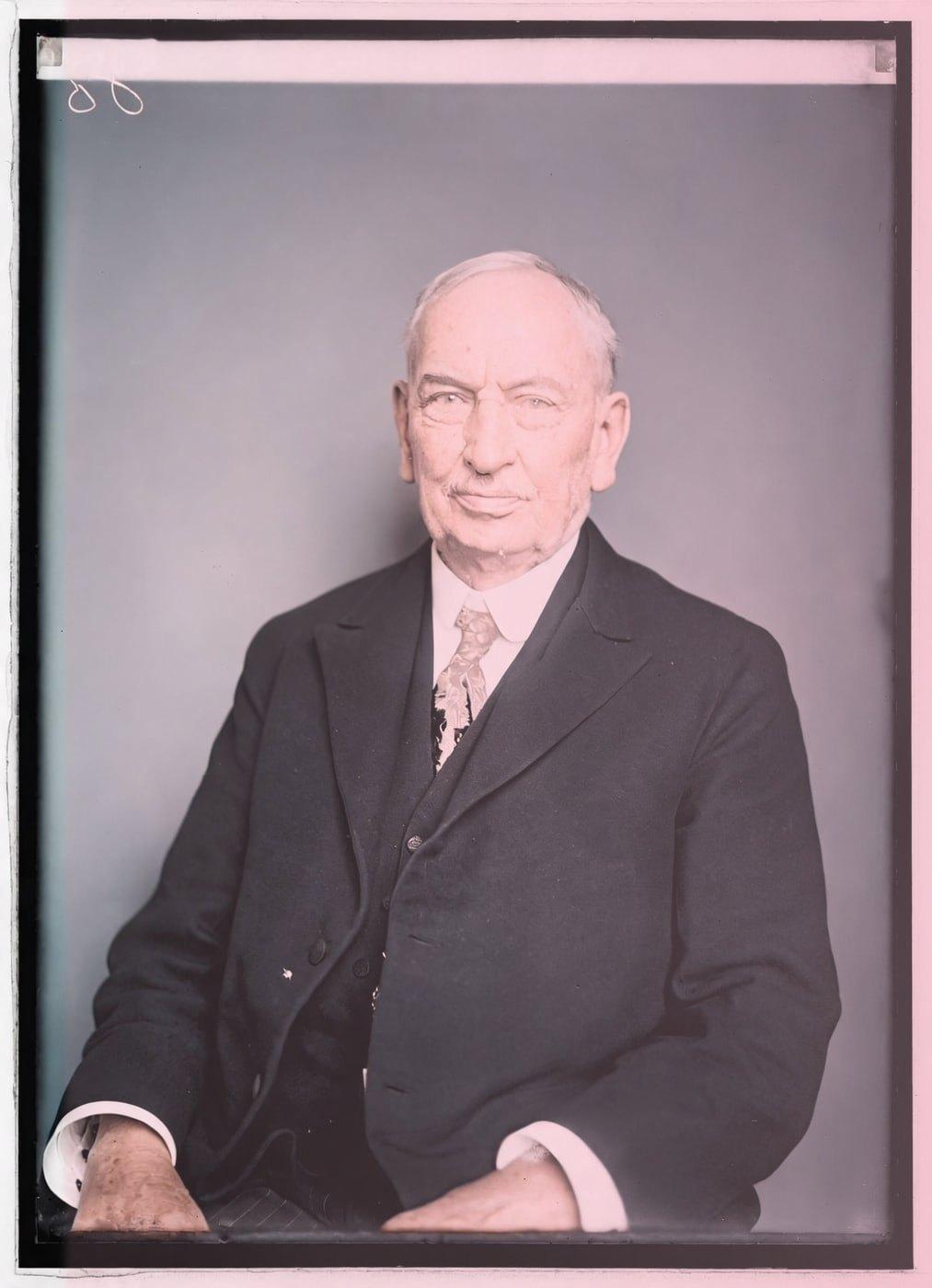
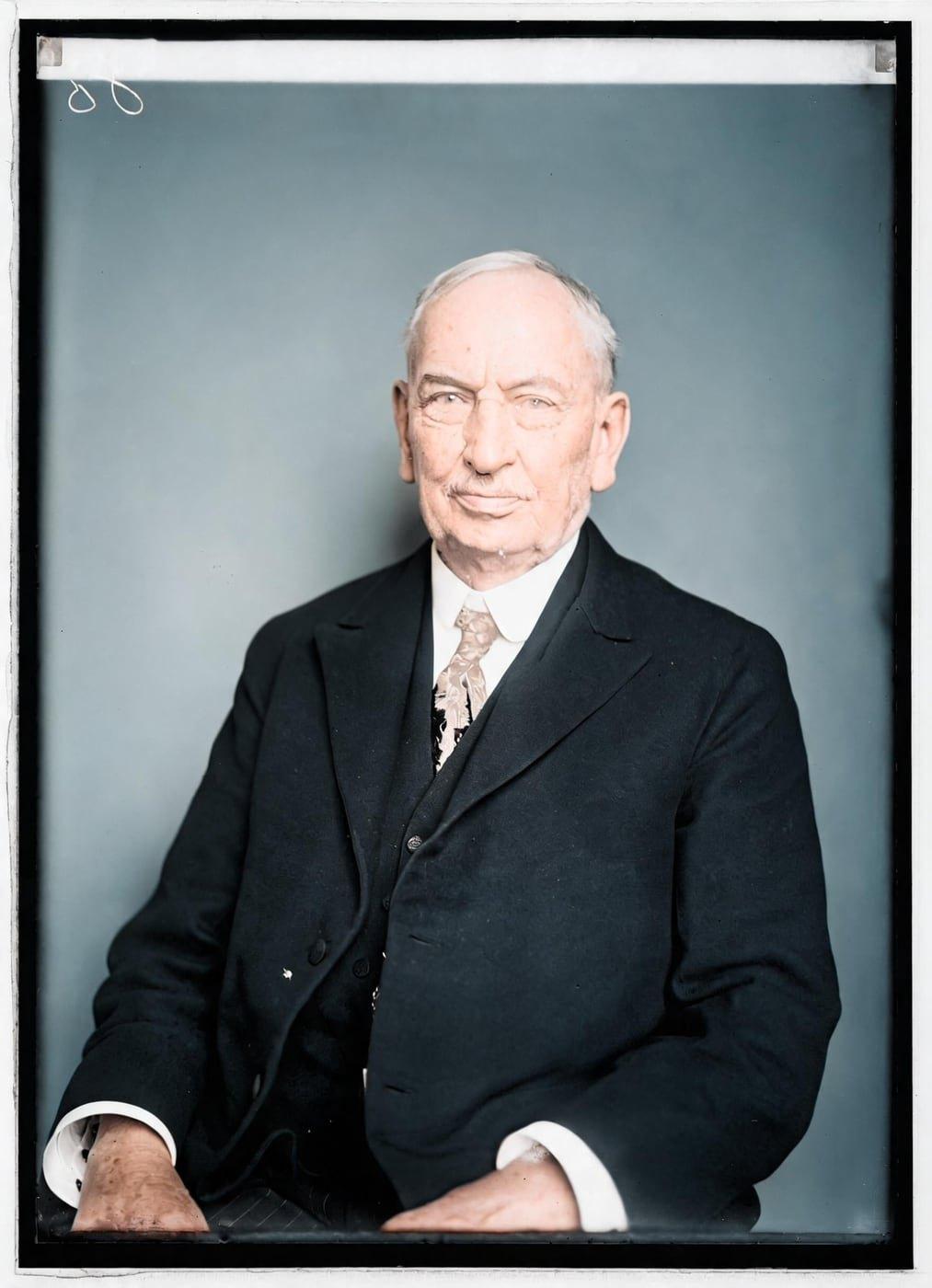
Sun-Faded Photo Restorations Before and After
Drag the handle to compare. This is an illustration, not a result: we added sun fading and a pink cast, worse on one side digitally to a colorized public-domain portrait from 1921, so you can see what the repair aims for. With your own photo, every result is checked against your original before you see it.
The before examples are illustrations, with fading added digitally to a clean photo: weak contrast, bleached highlights, muted colors, and uneven fading. The after examples show that clean photo, with the balanced color, clear tonal separation, and facial and background detail a restoration aims for, and the same people and composition.
Restore my photoRestore Sun-Faded Photos Online With AI
Restore Old Photos uses AI to recover faded color and contrast in a scanned sun-faded photo while preserving the same faces. Each scan is uploaded online, compared with the original on a before-and-after slider, and downloaded as a restored image.
- per photo
- ≈ 1 min
- per photo
- per photo
- 1 credit
- per photo
- then your upload is deleted
- 24 h
- then your upload is deleted
How Sunlight Damages Old Photos
Sunlight damages old photos through washed-out fading across the whole print, uneven fading around frame mats, color casts from faded dyes, and bleached highlights on black-and-white prints.
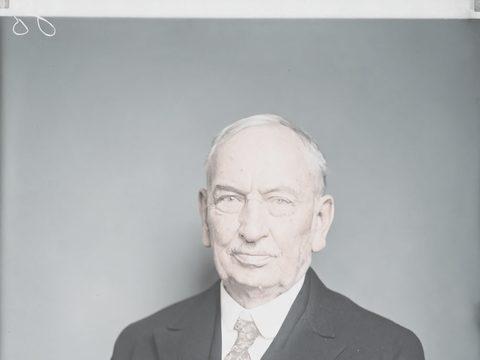
Fig. 3.1 · Illustration Washed-Out Overall Fading
Washed-out fading makes the entire print look pale, flat, and low in contrast, with diminished color density. Restore Old Photos recovers the faded color, tonal contrast, and shadow depth while keeping facial features consistent.
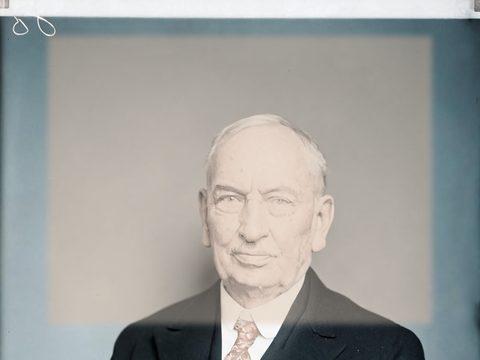
Fig. 3.2 · Illustration Uneven Fading Around a Frame Mat
Uneven fading around a frame mat leaves the print’s center lighter than its edges because the mat shields the border from part of the light. Restore Old Photos balances contrast and color across the print while preserving faces and other important details.
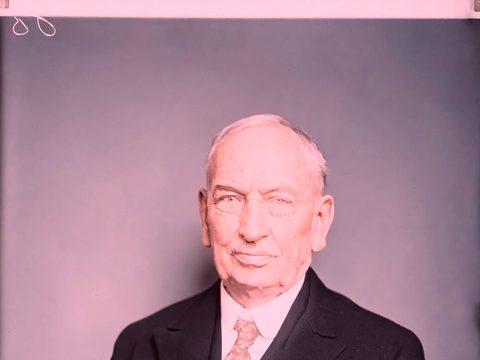
Fig. 3.3 · Illustration Color Casts Left by Faded Dyes
Color casts left by faded dyes appear as a red, yellow, or purplish tint when the cyan, magenta, and yellow dyes of a sun-damaged print fade unevenly. Restore Old Photos rebalances the remaining color information to recover natural-looking skin tones and neutral areas without excessive saturation.
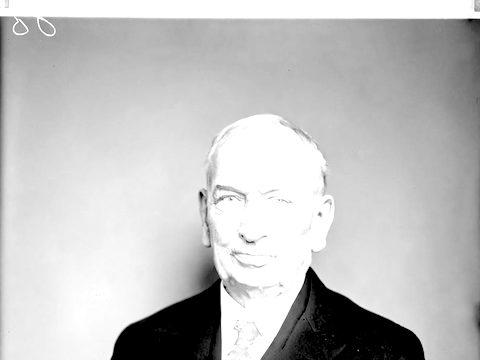
Fig. 3.4 · Illustration Bleached Highlights on Black-and-White Prints
Bleached highlights on black-and-white prints appear pale gray or almost white, with reduced tonal separation and lost detail as the silver image deteriorates. Restore Old Photos improves contrast and reconstructs plausible highlight texture from surviving tones, but AI restoration cannot recover detail that sunlight erased completely.
Photos Most Exposed to Sunlight
The photos most exposed to sunlight are prints displayed for long periods, especially framed prints near windows, older color snapshots, and portraits in bright rooms.
Framed Photos Hung Near Windows
Framed photos hung near windows fade first because sunlight passing through window glass exposes the prints to visible and ultraviolet light over time. Restore Old Photos uses AI to recover the faded color and contrast while preserving the people’s facial features.
Color Snapshots From the 1960s to 1980s
Color snapshots from the 1960s to 1980s fade fast in light because many are chromogenic prints whose dyes lose density and shift in color under light exposure, and prints made after 1990 tend to be much more stable, according to “5.2.2 Types of Photographs, part 2: Color” by Amanda Maloney and Monique Fischer, Northeast Document Conservation Center, 2020. Restore Old Photos rebalances the faded color and contrast of a chromogenic snapshot while preserving recognizable faces.
Black-and-White Portraits on Display
Display light fades black-and-white portraits by degrading the silver image or vulnerable print materials, although well-processed fiber-base silver-gelatin prints resist light better. Restore Old Photos rebalances tones and deepens washed-out shadows while preserving faces, but the AI only reconstructs plausible detail where exposure erased the original detail for good.
How to Restore a Sun Damaged Photo Online
To restore a sun damaged photo online, follow five steps: scan the faded print flat, upload the scan, let AI map the faded areas, recover contrast and color balance, then preview and download the restored photo.
Step 1 of 5
Scan the Faded Print Flat
Scan the faded print flat by removing it from its frame and frame glass and placing it on a clean flatbed scanner without cropping its edges. Capture the full photo at about 600 ppi for preservation-quality detail, and handle fragile prints by their edges.
Restore my photoFig. 1 · The photo you add · illustration Step 2 of 5
Upload the Faded Scan
Upload the complete faded scan to Restore Old Photos by dragging a JPEG, PNG, or WebP file into the upload area or by selecting the file from your device, one photo per upload. Choose a sharp, high-resolution scan and keep the original file unchanged for comparison.
Step 3 of 5
Let the AI Map the Faded Areas
Restore Old Photos’ AI maps the faded areas by analyzing the uploaded scan for regions where sunlight has weakened color, contrast, or tonal detail. Nearby texture, tones, and lighting guide the corrections, preparing each faded area for balanced color and contrast recovery.
Step 4 of 5
Recover Contrast and Color Balance
Restore Old Photos recovers contrast and color balance by recalibrating the faded areas against the scan’s remaining tones, restoring separation between highlights, midtones, and shadows. The color correction balances unwanted casts while preserving the original faces and composition.
Step 5 of 5
Preview and Download the Restored Photo
Preview the restored photo by comparing it with the original on the before-and-after slider, checking that faces and details remain faithful. Download the restored image, about 2K (2048 px on its long side), when the restoration looks right.
Restore my photo Same people · checkedFig. 5 · After (illustration)
What a Restored Sun-Faded Print Gives You
A restored sun-faded print gives you a clearer, more balanced digital image with recovered color, contrast, and shadow detail while preserving the original faces.
2K File for Printing
Restore Old Photos delivers the restored sun-faded photo as a download of about 2K (2048 px on its long side), ready to print at everyday sizes. The Enhance option enlarges a small scan by up to 4× for a larger print file.
One Credit per Recovered Photo
Each recovered photo costs 1 credit from a credit pack or monthly plan. Restore Old Photos never charges a credit for a result that fails the same-faces check.
How Restore Old Photos Recovers Faded Color and Repairs Damage in One Pass
Restore Old Photos recovers faded color and contrast and repairs scratches, tears, stains, and creases in one pass of the Restore tool. Restore makes a faithful version and can add a bolder version, at 1 credit each, and can add color in the same pass at no extra credit.
Sun Damaged Photo Restoration Pricing
1 credit restores one photo, and a second, bolder version is 1 more. Packs start at $2.99, never renew, and their credits never expire.
Pack 01
Starter
A few favourite photos, restored and colorized.
$2.99one-time
60¢ a photo
- 5 photos restored, colorized or enhanced
- Or 1 animated clip
- Full size, no watermark
- Credits never expire
- Never renews
Most chosen
Pack 02
Family
An album's best photos, with a clip of the one you love most.
$7.99one-time
44¢ a photo
- 18 photos restored, colorized or enhanced
- Or 4 animated clips
- Full size, no watermark
- Credits never expire
- Never renews
Pack 03
Archive
For the shoebox in the attic and the family historian.
$19.99one-time
40¢ a photo
- 50 photos restored, colorized or enhanced
- Or 12 animated clips
- Full size, no watermark
- Credits never expire
- Never renews
One-time payments in US dollars. Compare credit packs and monthly plans
Sun Damaged Photo FAQ
Can a Badly Sun-Faded Photo Be Fully Restored?
No, a badly sun-faded photo cannot always be fully restored because prolonged light exposure can permanently destroy dyes and image detail. AI restoration reconstructs plausible color, contrast, and part of the lost detail, but cannot guarantee the original appearance. Restore Old Photos rebuilds fully faded color as plausible color, never the original color exactly, and returns the recovered colors to an old photo through sun damaged photo restoration online.
Can Sun-Faded Photos Have Other Damage Fixed at the Same Time?
Yes, Restore Old Photos repairs scratches, creases, tears, stains, dust, and other surface damage on a sun-faded print in the same restoration pass.
- Repairing Scratches and Creases on a Faded Print: Restore Old Photos repairs scratches and creases on a faded print by detecting them on the scan and reconstructing the damaged areas from nearby image details. Minor scratches and fold marks suit automatic repair, while large missing sections require less certain reconstruction.
Can I restore a black and white photo faded by the sun?
Yes. It comes back black and white with its contrast restored. Tick Also add colour if you'd like it colorized in the same pass, for the same credit.
Will the people still look like themselves?
That is the one thing Restore Old Photos checks on every result. Each one gets a structure score against your original and an AI check that the same people are there, with nothing added or removed. A result that fails is remade once on a backup model; if it still fails, it's dropped and the credit comes back to you.
Why Do Photos Fade in Sunlight?
Photos fade in sunlight because cumulative ultraviolet and visible light breaks down photographic dyes and degrades image materials.
- Ultraviolet Light and Dye Breakdown: Ultraviolet light breaks down a print’s dyes by triggering photochemical reactions that turn photographic dyes into less-colored compounds, while oxidation reduces the density of silver-based images. The Library of Congress reports in “Limiting Light Damage” that UV radiation fuels the chemical reactions behind fading, yellowing, and bleaching, and ranks all color photographic processes as very light sensitive and most silver-based processes as moderately light sensitive.
- Faded Color Prints Turning Red: Faded color prints turn red because the cyan dye fades first, leaving the magenta and yellow dyes to dominate the image. The three dyes of a color print fade at different rates, so deteriorated color photographs show an imbalance of color, as the Northeast Document Conservation Center explains in “Session 5: Care and Handling of Photographs” of its Preservation 101 course.
- Fading Versus Yellowing on Old Prints: Fading differs from yellowing because fading reduces image density, contrast, or dye strength and makes an old print look washed out or less colorful. Yellowing changes the paper or image layer to a yellow or brown cast through chemical reactions, residual processing chemicals, or acidic materials.
How Can You Keep Restored Prints From Fading Again?
You can keep restored prints from fading again with UV-filtering glass, low or indirect display light, and dark storage for the original while a printed copy stays on display.
- Framing Restored Prints Behind UV-Filtering Glass: UV-filtering glass slows fading on a framed restored print by absorbing much of the ultraviolet radiation that fades its dyes and paper. UV-filtering glass cannot block visible-light damage, and the Northeast Document Conservation Center advises in “5.3 Care of Photographs” (revised 2019) that photographs hang away from direct or indirect sunlight, with rotating display preferred over permanent display.
- Displaying a Copy While the Original Stays Stored: Displaying a printed copy keeps the original photo out of cumulative light exposure while the original stays in a dark archival enclosure, and the Canadian Conservation Institute recommends copy prints for display in place of original historic color pictures in “Care of Colour Photographic Materials” (CCI Notes 16/5) by Klaus B. Hendriks, revised by Joe Iraci, 2007. The display life of the copy depends on its paper, colorants, and lighting conditions.
- Expected Lifespan of a New Print in Daylight: The expected lifespan of a new print in daylight has no single figure, because display life varies with the print type, ink, paper, and light level, and direct daylight shortens it the most. Light damage to a print is cumulative and follows the reciprocity principle, so dim light over a long period does as much harm as bright light over a short period, according to “Limiting Light Damage” by the Library of Congress.
What does Restore Old Photos do with the photos I upload?
The original is used only to make your results and is deleted from our servers within 24 hours by an hourly clean-up, or at once if you delete it. Your results stay in your account until you delete them. Before upload, your browser shrinks the photo and strips its location data.
Does Restore Old Photos use my photos to train AI?
No. Restore Old Photos never uses your photos or results to train AI models. They're sent only to the AI providers that restore and check them, whose terms allow them to use what we send only to do that job.
Does Restore Old Photos have a free trial?
No, and so there's no trial to cancel and no weekly plan. You pay per photo with a one-time pack, from $2.99 (from 40¢ a photo), and a result that fails the check never costs a credit: it's dropped and the credit comes back.
What if a result fails?
You don't pay for it. Anything that isn't delivered, including a result held back because it failed our likeness check, is refunded to your balance automatically.