Restore Old Photos / Remove tape marks from photos
Remove Tape Marks From Old Photos: Erase Tape Residue and Stains Online
Free your old photos from yellowed tape and sticky residue in about a minute, with every face checked to stay the same.
Remove tape marks from an old photo online by scanning the print with the tape left in place and letting AI repair the stain and residue on the scan. Tape mark removal is the digital repair of stains, adhesive shadows, and lifted image layers left by old tape. Yellowing, residue shadows, gloss changes, and torn emulsion can result from cellophane, masking, double-sided, or other pressure-sensitive tape. Scan and upload the print, choose the Restore tool, review the repair, and download the tape-free copy. Digital repair protects the original print from peeling, scraping, and solvents; Restore Old Photos removes tape marks and repairs an underlying tear in one pass. Use the Remove Tape Marks Online action to begin.
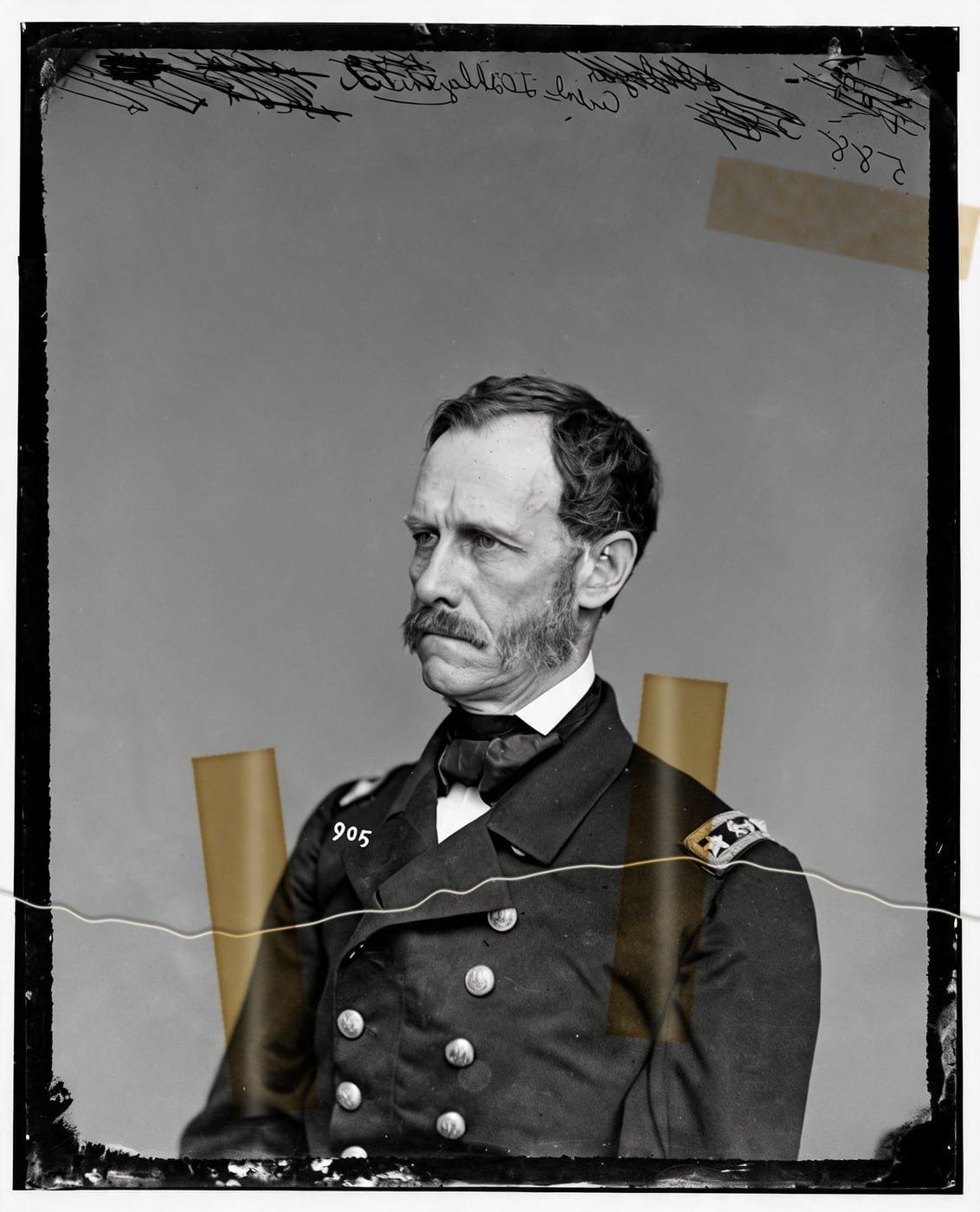
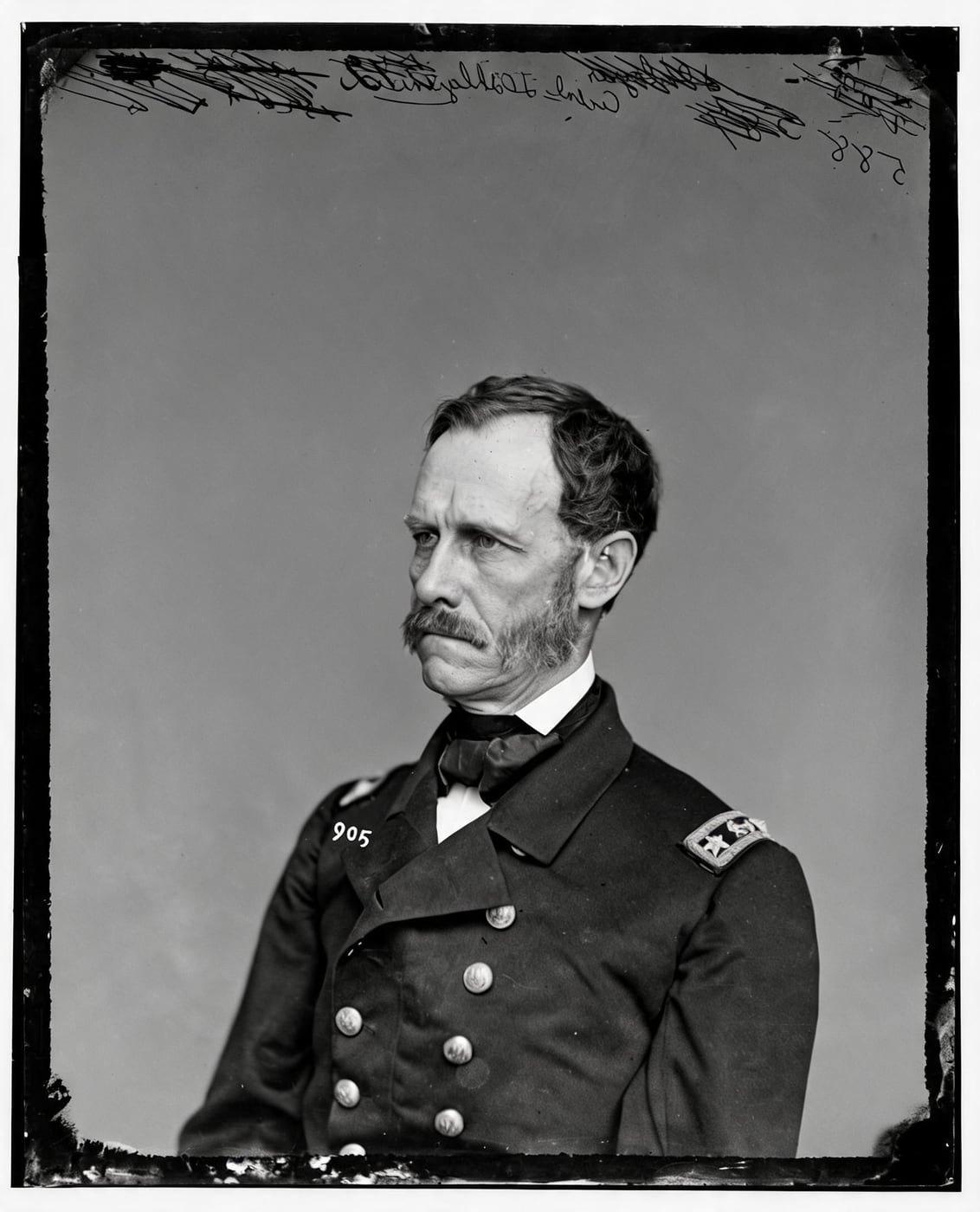
See Tape Marks Removed from a Photo
Drag the handle to compare. This is an illustration, not a result: we added a tear held by two strips of old, yellowed tape digitally to an 1860s public-domain portrait, so you can see what the repair aims for. With your own photo, every result is checked against your original before you see it.
Remove tape marks onlineRemove Tape Marks From Old Photos Online With AI
Restore Old Photos removes tape marks from old photos online with AI, digitally clearing tape stains, adhesive residue, shadows, and damaged areas from the scan. The Restore tool reconstructs obscured details and repairs related tears while the original print stays untouched.
- per photo
- ≈ 1 min
- per photo
- per photo
- 1 credit
- per photo
- then your upload is deleted
- 24 h
- then your upload is deleted
Types of Tape Damage on Old Photos
The types of tape damage on old photos are yellowed tape stains, adhesive residue shadows, lifted emulsion, and tears, beginning with yellowed stains.
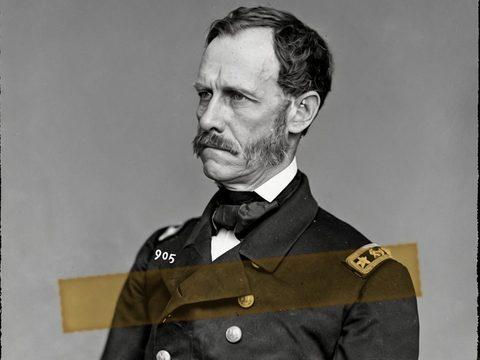
Fig. 3.1 · Illustration Yellowed Tape Stains
Yellowed tape stains look like yellow, amber, or orange-brown patches, usually rectangular or following the tape edges; Restore Old Photos digitally repairs the discoloration, residue shadows, and obscured image detail on the scan. Rubber-based tape adhesives yellow as they oxidize and soak into the paper, leaving a stain that can be very difficult and sometimes impossible to remove, according to the study “Pressure-Sensitive Tape and Techniques for Its Removal from Paper” by Merrily A. Smith, Norvell M. M. Jones, Susan L. Page, and Marian Peck Dirda, Journal of the American Institute for Conservation, 1984.
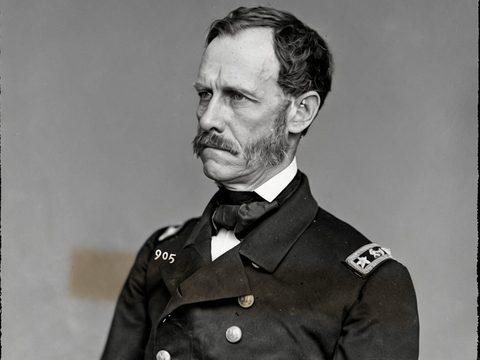
Fig. 3.2 · Illustration Adhesive Residue Shadows
Adhesive residue shadows look like dull, brownish, glossy, or uneven patches where old tape covered a photo. The Restore tool digitally repairs the residue, discoloration, and obscured image detail in the scan.
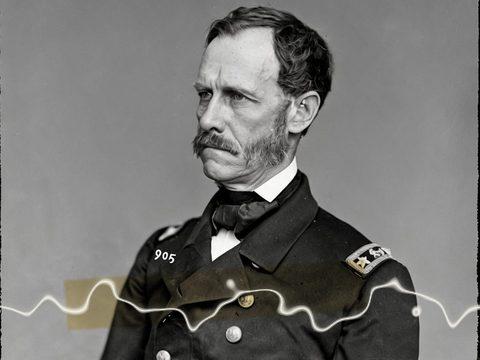
Fig. 3.3 · Illustration Tape Lifting and Torn Emulsion
Tape lifting and torn emulsion look like raised, missing, or rough patches where adhesive has pulled away the photo’s image-bearing surface. Restore Old Photos digitally reconstructs the damaged area from surrounding detail, restoring visual continuity without disturbing the remaining emulsion.
Tapes That Leave Marks on Photos
The tapes that leave marks on photos are cellophane and other pressure-sensitive tapes, along with the adhesive strips in magnetic albums, which can leave stains, residue, and image damage on old prints.
Cellophane Tape on Torn Prints
Cellophane tape marks torn prints because its pressure-sensitive adhesive can yellow, migrate into the paper, and leave residue that makes peeling risky. Restore Old Photos digitally repairs the stain, adhesive shadow, missing image detail, and tear from a scan, leaving the taped original untouched.
Magnetic Album Adhesive Strips
Magnetic album adhesive strips mark prints because self-stick album pages are frequently highly acidic and can permanently bond themselves to photographs, the Northeast Document Conservation Center reports in its preservation leaflet “5.3 Care of Photographs,” revised 2019. Restore Old Photos removes the visible adhesive bands, yellowing, and shadows from a scan, then reconstructs the obscured image details.
How to Remove Tape Marks From a Photo Online
To remove tape marks from a photo online, follow five steps: scan the print with the tape in place, upload the scan, choose the Restore tool, compare the AI repair, and download the tape-free copy.
Step 1 of 5
Scan the Photo With the Tape Left in Place
Scan the old photo with the tape still attached at the highest practical resolution, and do not peel or scrape the tape. The scan becomes a working copy that keeps handling of the fragile print to a minimum and is ready for upload.
Remove tape marks onlineFig. 1 · The photo you add · illustration Step 2 of 5
Upload the Scan
Upload the scan of the taped print to Restore Old Photos without removing the tape. The full scan gives the AI the whole photo, including the tape-covered area, so Restore Old Photos can repair the stains, residue, and damaged image details digitally.
Step 3 of 5
Choose Restore for the Tape Area
Choose the Restore tool after uploading the scan of the taped photo. The Restore tool repairs the whole image, including the tape area, without requiring a separate selection.
Step 4 of 5
Let the AI Rebuild the Image Under the Tape
Restore Old Photos rebuilds the image under the tape by analyzing the surrounding patterns, tones, edges, and facial details for a visually consistent repair. Use the before-and-after slider to compare the restored scan with the original and check the fidelity of the result.
Step 5 of 5
Download the Tape-Free Copy
After reviewing the restored result, select Download to save the tape-free copy at full size with no watermark. Keep the original scan as your untouched master, and use the downloaded image for sharing or printing.
Remove tape marks online Same people · checkedFig. 5 · After (illustration)
Digital Tape Removal That Protects the Original Print
Digital tape removal protects the original print because the repair changes a scan, not the physical photograph.
Original Print Left Untouched
Restore Old Photos repairs the scan, so the taped print needs no peeling, scraping, or solvent. Your own scan stays the master copy while the original print remains untouched.
Same Faces or Your Credit Back
Restore Old Photos checks every tape repair against the original to keep the same people, with nobody added or removed. A result that fails the check is remade once, and if the second result still fails, Restore Old Photos drops the repair without showing it and refunds the credit.
How Restore Old Photos Removes Tape Marks and Repairs the Tear in One Pass
Restore Old Photos removes tape marks and repairs the tear in one pass: the Restore tool clears tape stains and adhesive residue while repairing tears, scratches, creases, and fading. Each restore makes a faithful version and can add a bolder version, and colour can be added in the same pass at no extra credit.
Tape Mark Removal Pricing
1 credit restores one photo, and a second, bolder version is 1 more. Packs start at $2.99, never renew, and their credits never expire.
Pack 01
Starter
A few favourite photos, restored and colorized.
$2.99one-time
60¢ a photo
- 5 photos restored, colorized or enhanced
- Or 1 animated clip
- Full size, no watermark
- Credits never expire
- Never renews
Most chosen
Pack 02
Family
An album's best photos, with a clip of the one you love most.
$7.99one-time
44¢ a photo
- 18 photos restored, colorized or enhanced
- Or 4 animated clips
- Full size, no watermark
- Credits never expire
- Never renews
Pack 03
Archive
For the shoebox in the attic and the family historian.
$19.99one-time
40¢ a photo
- 50 photos restored, colorized or enhanced
- Or 12 animated clips
- Full size, no watermark
- Credits never expire
- Never renews
One-time payments in US dollars. Compare credit packs and monthly plans
Tape Mark Removal FAQ
Can AI Fix the Tear Under the Tape Too?
Yes, Restore Old Photos can fix the tear under the tape by rebuilding the missing or interrupted image detail on the same scan.
- Repairing the Tear Hidden Beneath the Tape: Restore Old Photos repairs the tear hidden beneath the tape on the same scan, rebuilding the missing or broken areas and blending the edges with nearby image detail. The digital tear repair uses the visible information around the tear and leaves the original print untouched.
Can Every Tape Mark Be Erased From an Old Photo?
No, not every tape mark can be erased exactly from an old photo, because some stains permanently discolor the paper and some tape removes the image emulsion. Digital repair reduces visible damage, but missing details require reconstruction and the result may not match the original exactly. Restoring old photos online provides a reversible way to reduce tape marks without handling the original print.
Will the people still look like themselves?
That is the one thing Restore Old Photos checks on every result. Each one gets a structure score against your original and an AI check that the same people are there, with nothing added or removed. A result that fails is remade once on a backup model; if it still fails, it's dropped and the credit comes back to you.
Should You Peel Tape Off an Old Photo?
No, you should not peel tape off an old photo yourself: the National Archives advises in “Family Archives: General Guidance” (reviewed July 2025) that old tape removal be referred to a trained conservator, and warns that solvents can dissolve components of many types of photographs.
- Solvent Damage to the Photo Emulsion: Solvents used to soften tape adhesive damage the photo emulsion by swelling or dissolving the emulsion and binder, causing colour shifts, softened coatings, tide marks, or permanent image loss. Organic solvents, pure or mixed, can rapidly penetrate the surfaces of photographs and cause severe damage, according to the 2024 study “Removal of Pressure Sensitive Tapes from Vintage Silver Gelatin Prints Using Selected Gel-Based Systems: An Experimental Study” by Mirna Waheeb and colleagues at Cairo University, published in the International Journal of Conservation Science.
- Replacing Old Tape With Archival Tape: Old tape on a torn print is replaced with archival tape only when the old tape is actively causing damage or hiding important information. A photograph conservator should assess and perform any replacement, because archival tape is not universally safe for original prints.
How Do You Free Photos Stuck to Sticky Album Pages?
To free photos stuck to sticky album pages safely, scan each photo while it remains attached and digitally repair the yellow adhesive stains and residue shadows; if a print resists, stop and consult a photograph conservator.
- Yellow Stains Left Behind by Old Adhesive: Old adhesive leaves yellow stains because its chemicals migrate into the photograph and oxidize over time, discoloring the paper or image layer. Restore Old Photos digitally reconstructs the stained area on a scan, leaving the original print untouched.
- Ink Notes Erased From a Scan the Same Way: Ink notes on a print are erased from its scan the same way as tape marks: Restore Old Photos removes the handwriting in the same Restore pass when the Remove handwriting option is ticked. The handwriting repair fills in the image detail covered by the ink and blends the area with the surrounding tones and textures, while the original print stays untouched.
Why has the tape on my photo turned yellow?
The adhesive in old sticky tape oxidises over the years, turning yellow, then brown, and it can stain the photo beneath. The stain is repaired along with the tape.
What does Restore Old Photos do with the photos I upload?
The original is used only to make your results and is deleted from our servers within 24 hours by an hourly clean-up, or at once if you delete it. Your results stay in your account until you delete them. Before upload, your browser shrinks the photo and strips its location data.
Does Restore Old Photos use my photos to train AI?
No. Restore Old Photos never uses your photos or results to train AI models. They're sent only to the AI providers that restore and check them, whose terms allow them to use what we send only to do that job.
Does Restore Old Photos have a free trial?
No, and so there's no trial to cancel and no weekly plan. You pay per photo with a one-time pack, from $2.99 (from 40¢ a photo), and a result that fails the check never costs a credit: it's dropped and the credit comes back.
What if a result fails?
You don't pay for it. Anything that isn't delivered, including a result held back because it failed our likeness check, is refunded to your balance automatically.