Restore Old Photos / Colorize black and white photos
Colorize Black and White Old Photos Online With AI: Turn Vintage Pictures Into Color
See your black and white family photos in natural color in about a minute, with every face kept exactly as it was.
Colorize a black and white old photo online by uploading it and letting AI add natural period color while the photo’s own light and shade stay unchanged. AI photo colorization adds plausible color to a black and white or sepia photo based on the people, objects, lighting, and scenery the image shows. Upload a family portrait, wedding photo, genealogy image, historical scene, or landscape, and the AI estimates colors for faces, clothing, skies, and backgrounds. The colorized result is a plausible interpretation, not a record of historical colors, and a warmer, softer second version can sit beside the neutral one. For scratched, stained, creased, torn, or faded prints, Restore Old Photos repairs the damage and adds color in one pass. Use the Colorize Black and White Photos Online action to open the page and begin.
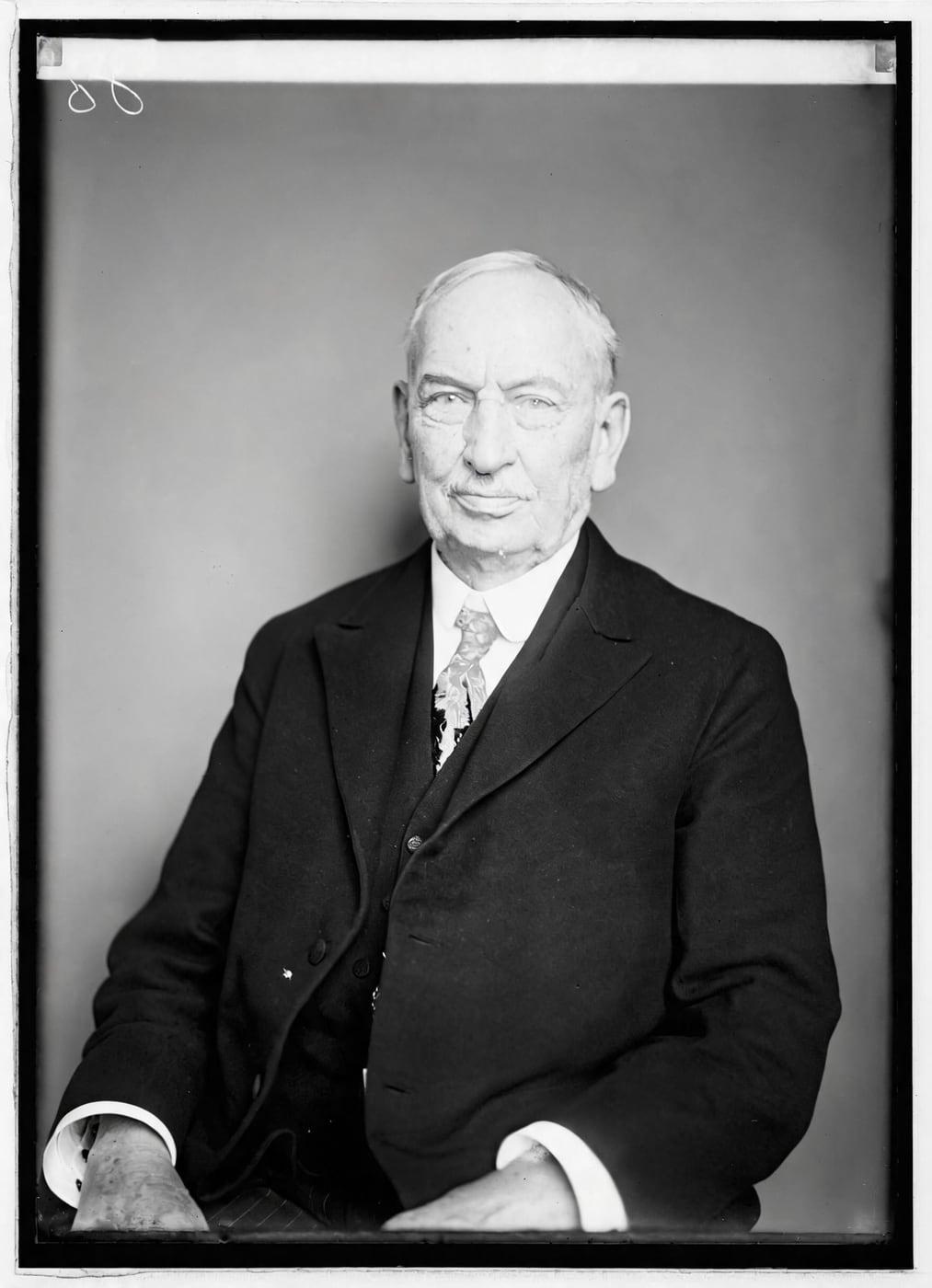
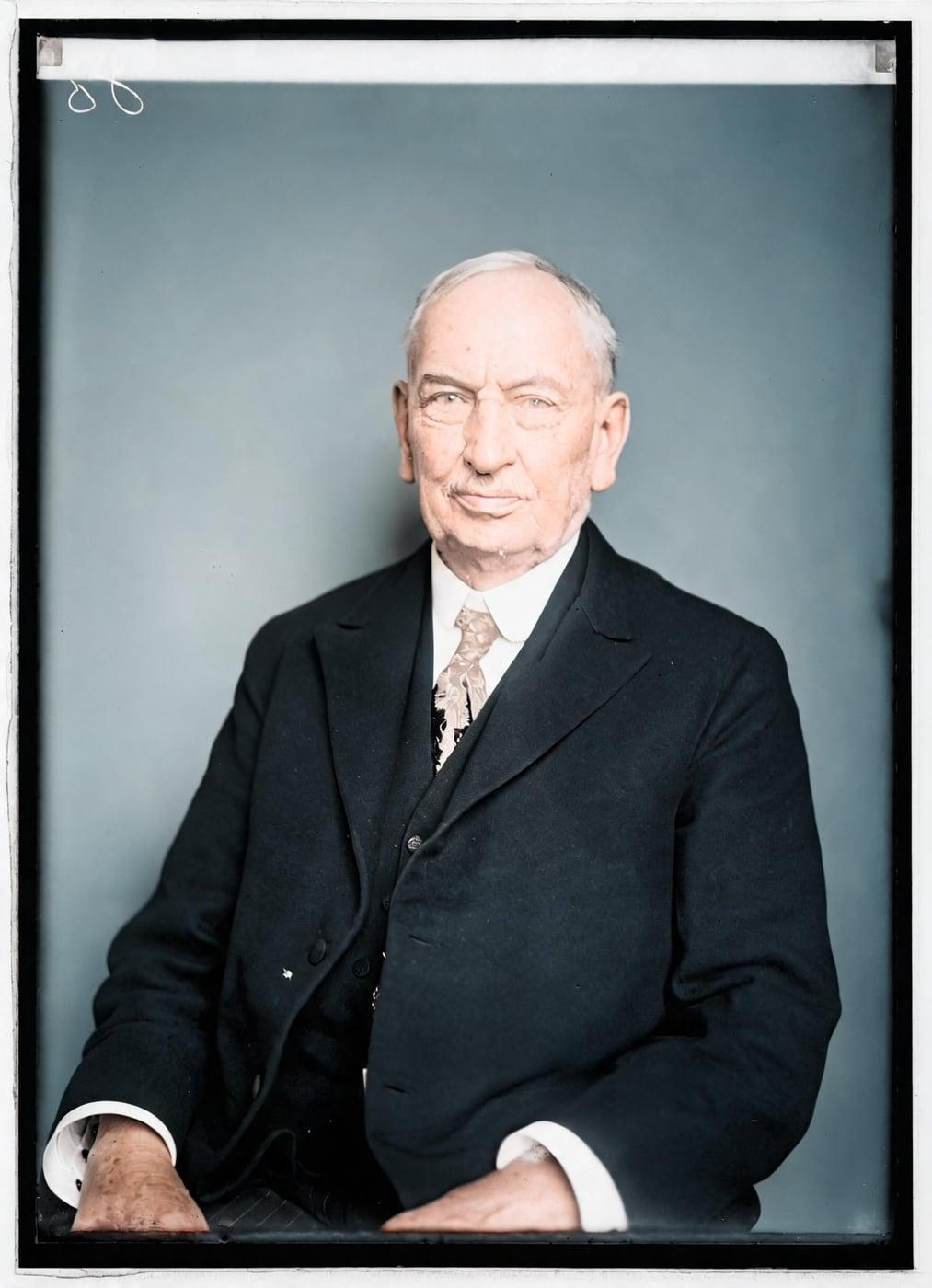
Colorized Photos Before and After
The colorized photos before and after examples below pair each original black-and-white or faded photo with its real Restore Old Photos colorization. Faces, clothing, landscapes, and backgrounds gain plausible natural color, while the subjects and original composition stay identifiable.
Colorize black and white photos onlineColorize Black and White Photos Online With AI
The Colorize tool from Restore Old Photos adds plausible, natural-looking color to black-and-white and sepia photos, reading the visible faces, clothing, objects, and scenery to choose each color. The Colorize luma lock keeps the photo’s own light and shade pixel for pixel, so only the color changes and no face can be redrawn.
- per photo
- ≈ 1 min
- per photo
- per photo
- 1 credit
- per photo
- then your upload is deleted
- 24 h
- then your upload is deleted
How to Colorize a Black and White Photo Online
To colorize a black and white photo online, follow four steps: upload the image, let the AI add color, guide the palette by asking for a second version, and preview and download the result.
Step 1 of 4
Upload the Black and White Photo
Upload a clear scan or photo of the black-and-white print to the Colorize tool on Restore Old Photos. A sharp, well-lit image gives the AI visible details to work from during the color pass that follows.
Colorize black and white photos onlineStep 2 of 4
Let the AI Add Color
Restore Old Photos analyzes the black-and-white photo and adds plausible, period-appropriate color to the visible faces, clothing, objects, and scenery. The luma lock keeps the photo’s original light, shade, and composition, so the color pass changes nothing but color.
Step 3 of 4
Guide the Colors With a Second Version
To guide the colors, ask Restore Old Photos for a second version with a warmer, softer palette beside the neutral version. Each colorized version costs 1 credit.
Step 4 of 4
Preview and Download the Colorized Photo
Drag the before-and-after slider to compare the colorized photo with the original black-and-white image. After the review, download the finished colorized photo, up to 2K.
Colorize black and white photos online Only the colour changedFig. 4 · Colorized
Old Photos You Can Colorize
The old photos you can colorize with AI range from family portraits, genealogy photos, and archive scenes to wedding and childhood pictures, landscapes, buildings, and sepia-toned prints.
Controlling the Colors of a Colorized Photo
Restore Old Photos controls the colors of a colorized photo through the versions Colorize makes: a neutral version and, on request, a warmer, softer second version.
Color Styles for Vintage Photos
The color styles for vintage photos in Restore Old Photos are a neutral version and a warmer, softer version. Each version costs 1 credit.
Colorizing Specific Parts of a Photo
Selective colorization applies color to one chosen area while the rest of the photo keeps its original tones. Restore Old Photos does not offer manual masking for a single object; Colorize adds plausible color across the full black-and-white or sepia image.
Recoloring a Photo Already in Color
A photo already in color needs its existing hues revived or repaired, while a black-and-white photo needs new colors inferred and added. The Colorize tool from Restore Old Photos is made for black-and-white and sepia photos, while Restore repairs faded color in photos that already contain color.
What You Get When You Colorize a Photo Online
Colorizing a photo online gets you a naturally colored version of the original that keeps its composition and visual details.
One Credit per Colorized Photo
One colorized photo costs 1 credit from a Restore Old Photos credit pack or monthly plan. A result that fails the check is never shown and never costs a credit.
Color Download Up to 2K
The colorized photo downloads at up to 2K, for printing. The image metadata labels the photo as AI restored.
Private Processing of Family Photos
Restore Old Photos strips location data from family photos in the browser before upload and deletes the original file from its servers within 24 hours.
How Restore Old Photos Restores and Colorizes Black and White Photos in One Pass
Restore Old Photos restores and colorizes a black and white photo in one pass, repairing scratches, tears, stains, creases, and fading while adding color at no extra credit. Every result goes through a same-faces check, so the restored photo shows the same people, with nothing added or removed.
Photo Colorizer Pricing
1 credit colorizes one photo. Packs start at $2.99, never renew, and their credits never expire.
Pack 01
Starter
A few favourite photos, restored and colorized.
$2.99one-time
60¢ a photo
- 5 photos restored, colorized or enhanced
- Or 1 animated clip
- Full size, no watermark
- Credits never expire
- Never renews
Most chosen
Pack 02
Family
An album's best photos, with a clip of the one you love most.
$7.99one-time
44¢ a photo
- 18 photos restored, colorized or enhanced
- Or 4 animated clips
- Full size, no watermark
- Credits never expire
- Never renews
Pack 03
Archive
For the shoebox in the attic and the family historian.
$19.99one-time
40¢ a photo
- 50 photos restored, colorized or enhanced
- Or 12 animated clips
- Full size, no watermark
- Credits never expire
- Never renews
One-time payments in US dollars. Compare credit packs and monthly plans
Colorize FAQ
How Accurate Is AI Photo Colorization?
AI photo colorization is accurate enough to produce plausible, natural-looking colors, but a grayscale image cannot reveal the exact historical colors of the original scene.
- Plausible Color Versus Historical Color: Plausible color is estimated from visual clues, while historical color requires evidence from the original scene. Colorizing a grayscale photograph is an underconstrained problem in which an automatic model can only produce a plausible color version, according to “Colorful Image Colorization” by Richard Zhang, Phillip Isola, and Alexei A. Efros, presented at ECCV 2016. AI color is therefore an interpretation, not a historical record.
- Photos That Colorize Best: The black-and-white photos that colorize best are sharp, well-exposed, and show identifiable subjects with clear edges. Visible tonal detail helps AI distinguish faces, clothing, buildings, and scenery, while blur, underexposure, and severe damage make color choices less reliable.
- Where AI Colorization Gets Colors Wrong: AI colorization gets colors wrong on clothing, cars, painted surfaces, vegetation, and other objects that could plausibly be several colors, producing washed-out tones, color bleeding, or inconsistent shades. A 2020 CVPR study by Jheng-Wei Su, Hung-Kuo Chu, and Jia-Bin Huang, “Instance-aware Image Colorization,” found that learning-based colorization models usually fail on images that contain multiple objects. Scratches, stains, tears, creases, fading, and missing print detail can further confuse the model, producing incorrect or incomplete color in damaged areas.
Should a Damaged Photo Be Restored Before It Is Colorized?
Yes, a damaged photo should be restored before it is colorized, because repairing scratches, fading, stains, and other damage gives the AI a cleaner image for more consistent color.
- Repairing Scratches and Fading Before Adding Color: Repairing scratches and fading before adding color gives the AI a cleaner black-and-white image to interpret. A repaired print keeps damage from being mistaken for image detail, so the colors come out more even and natural.
Can AI Colorization Bring Back the Real Colors of an Old Photo?
No, AI colorization cannot bring back the real colors of an old photo, because grayscale records brightness, not one exact color, and multiple colors can produce the same gray value. AI instead infers plausible colors from visible context, so colorizing black and white old photos online with AI creates an interpretation, not a historical record.
How does Colorize keep faces exactly the same?
With what Restore Old Photos calls a luma lock. The AI suggests the colours, then we put them back onto your photo's own light and shade, pixel for pixel. Only the colour changes, so no face, edge or detail can be redrawn, and a test checks the result matches your original's brightness.
Can I colorize a sepia photo?
Yes, sepia is treated like black and white. A photo that already has colour is turned away before you're charged; use Restore for a faded colour photo instead.
Can I colorize a photo I've already restored?
Yes. From any result you've kept, you can run Colorize, Enhance or Animate on it as a new photo, each at its usual price.
Why Are So Many Old Photos Black and White?
So many old photos are black and white because early color methods were impractical, cumbersome, and unreliable, while gelatin silver prints dominated black-and-white photography in the twentieth century, as the George Eastman Museum notes in its “Photographic Processes Video Series & Glossary.”
- Monochrome Film Before Color Photography: Monochrome film dominated before color photography became common because black-and-white film cost less, needed simpler processing and printing, and gave more reliable results. Early color methods relied on complex processes, while black-and-white photographs became the accepted standard for documentary use.
How Were Black and White Photos Colorized Before AI?
Black and white photos were colorized before AI by hand, while early color methods such as Autochrome plates, three-color separation photography, and Kodachrome film captured color in the camera instead.
- Hand-Colored Photographs: Hand-colored photographs are monochrome prints that artists tinted by hand with translucent oils, dyes, watercolors, pastels, or other pigments. The applied colors represent an artist’s interpretation of selected details, not colors recorded by the camera.
- Autochrome Plates: Autochrome plates are early color photographs on glass, introduced by the Lumière brothers in 1907. The Victoria and Albert Museum reports in “Colour photography at the V&A” (updated June 2026) that each Autochrome plate carried a color screen of potato-starch granules dyed red, green, and blue beneath a light-sensitive emulsion, and that the image shows its color only when lit from behind.
- Prokudin-Gorsky's Three-Color Photographs: Prokudin-Gorsky’s three-color photographs are color images built from three black-and-white exposures of the same scene, made through red, green, and blue filters. The Library of Congress scans the original glass-plate negatives and aligns the red, green, and blue layers into a digital color composite, as its exhibition page “Making Color Images” explains.
- Kodachrome Slides: Kodachrome slides are positive color transparencies made on Kodak’s Kodachrome reversal film, introduced in 1935. Photographers mounted the detailed, vivid slides in cardboard frames for viewing or projection, and Kodak discontinued Kodachrome film in 2009.
Which Famous Black and White Photos Have Been Colorized?
The famous black-and-white photos that have been colorized include portraits of Abraham Lincoln and portraits of silent-era Hollywood stars.
- Abraham Lincoln in Color: Abraham Lincoln in color appears with natural-looking skin, hair, clothing, and backgrounds, while his original expression, lighting, and detail stay intact. The added colors offer a modern interpretation, not a verified record of Lincoln’s clothing or surroundings.
- Old Hollywood Stars in Color: Old Hollywood stars in color, such as Lon Chaney, Rudolph Valentino, Bela Lugosi, Gloria Swanson, and Dorothy Dalton, gain plausible skin, hair, clothing, and studio-background colors. Colorized silent-era portraits feel more immediate, but the reconstructed colors do not confirm each star’s real appearance without supporting color references.
What does Restore Old Photos do with the photos I upload?
The original is used only to make your results and is deleted from our servers within 24 hours by an hourly clean-up, or at once if you delete it. Your results stay in your account until you delete them. Before upload, your browser shrinks the photo and strips its location data.
Does Restore Old Photos use my photos to train AI?
No. Restore Old Photos never uses your photos or results to train AI models. They're sent only to the AI providers that restore and check them, whose terms allow them to use what we send only to do that job.
Does Restore Old Photos have a free trial?
No, and so there's no trial to cancel and no weekly plan. You pay per photo with a one-time pack, from $2.99 (from 40¢ a photo), and a result that fails the check never costs a credit: it's dropped and the credit comes back.
What if a result fails?
You don't pay for it. Anything that isn't delivered, including a result held back because it failed our likeness check, is refunded to your balance automatically.
More Tools for Old Photos
Colorize black and white photos
See your photo in colour, with the same faces
Colorize black and white photos online