Restore Old Photos / Remove glare from old photos
Remove Glare From Old Photos: Erase Reflections From Photos of Photos Online
Turn a phone shot of an old print into a clean, glare-free copy in about a minute, with every face kept as it was.
Remove glare from an old photo online by uploading the photographed print and letting the AI take out the washed-out glare and recover the detail still faintly visible beneath it; detail fully hidden beneath blown-out glare cannot be recovered. Glare removal is the digital repair of flash glare, frame-glass reflections, glossy-print glare, window light, and eyeglass reflections captured when a print is photographed. To remove glare online, upload the image, choose Restore, run the repair, compare the result, and download the full-size copy; the AI recovers faint detail under the glare without inventing what the glare burned to pure white, and iPhone users can upload their photos through a browser. Restore Old Photos removes glare without a retake and repairs the print in one pass, starting from the upload that opens the page.
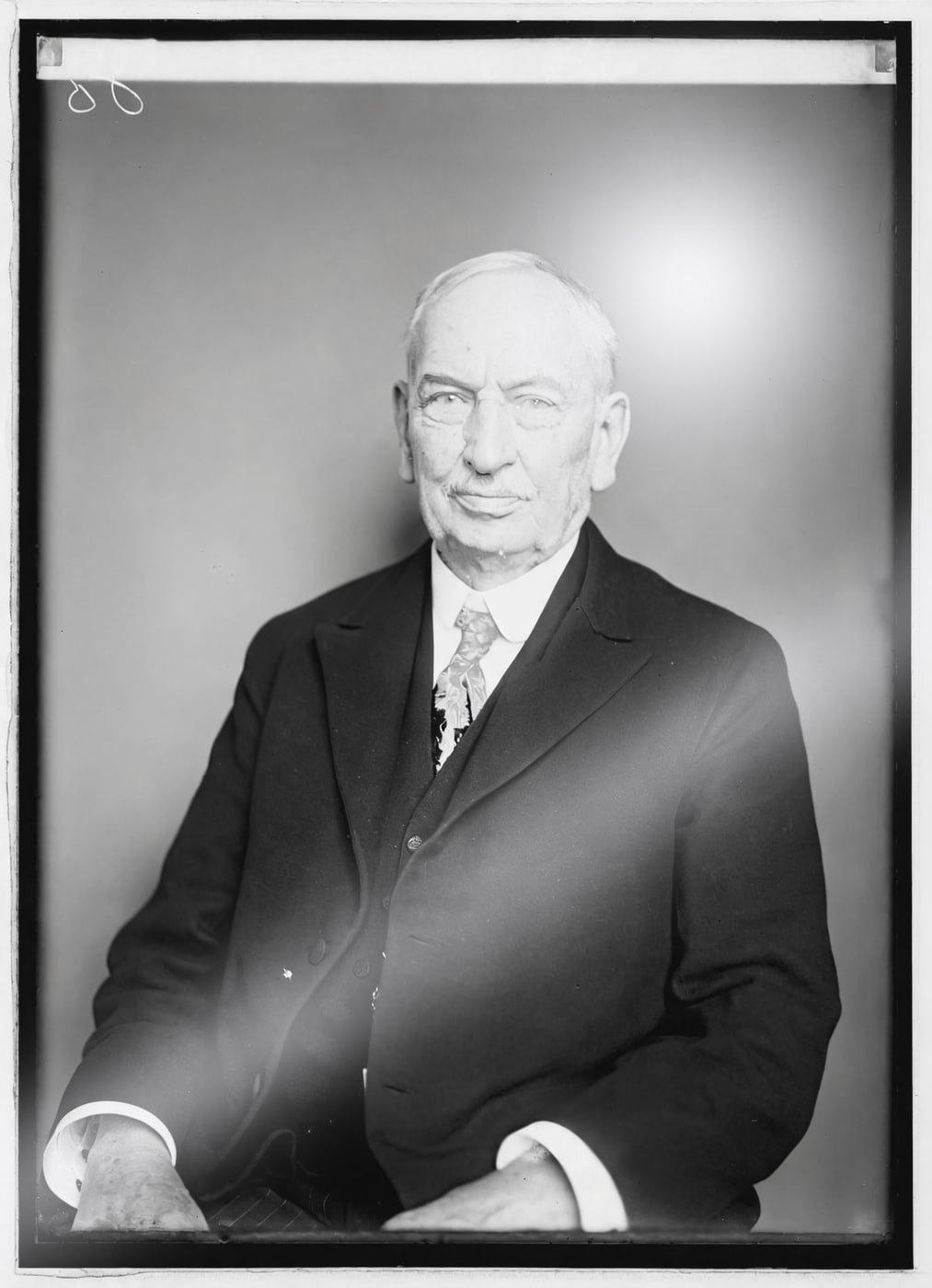
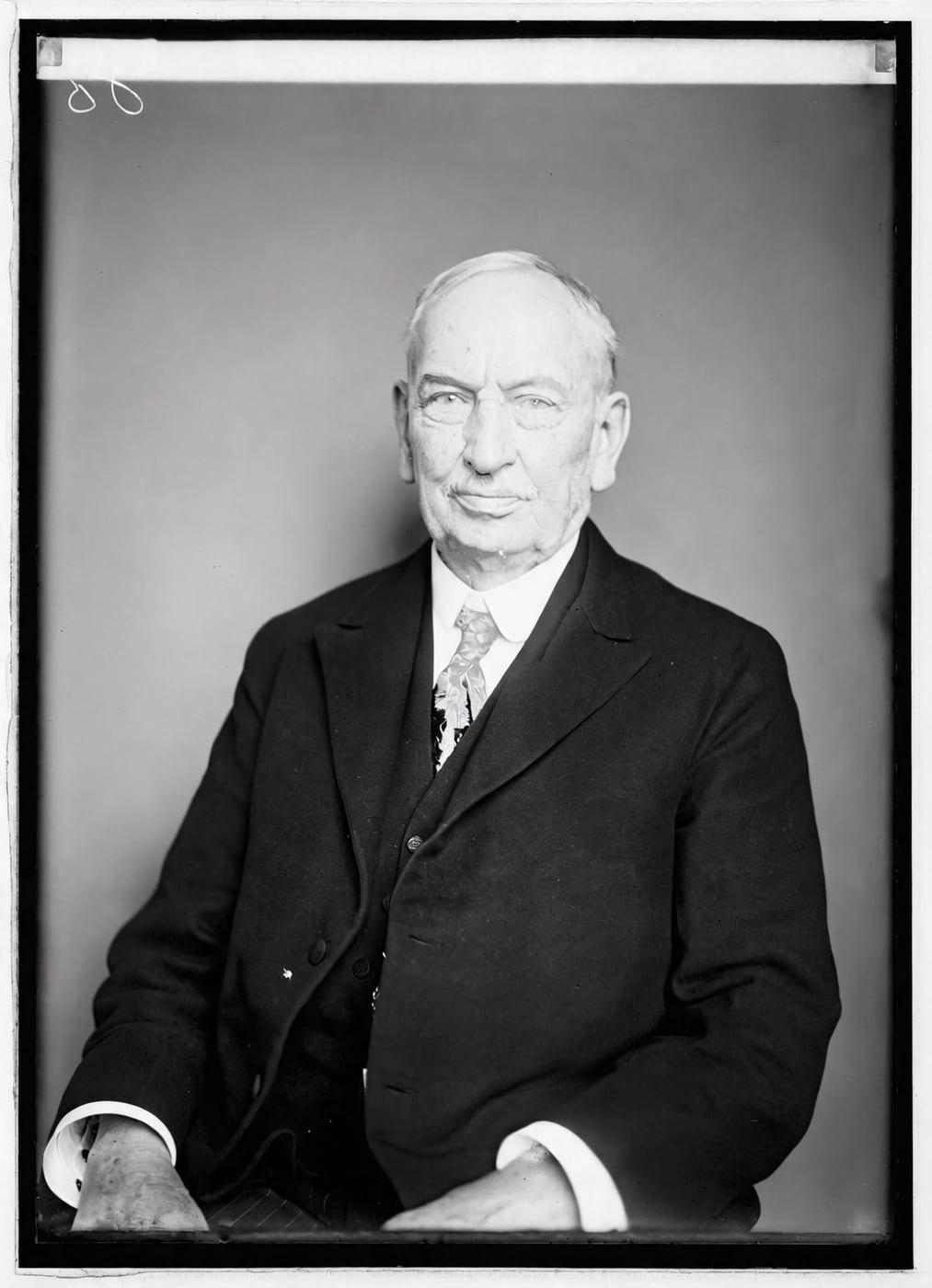
See Glare Removed from an Old Photo
Drag the handle to compare. This is an illustration, not a result: we added a flash hotspot and a sheen of reflected light digitally to a public-domain portrait from 1921, so you can see what the repair aims for. With your own photo, every result is checked against your original before you see it.
Restore my photoRemove Glare From Old Photos Online With AI
Restore Old Photos uses AI to remove glare from old photos online: the Restore tool reads a photographed print, takes out flash, glass, and window reflections, and recovers the detail still faintly visible beneath the glare. Where blown-out glare burned the picture to pure white, no detail remains to recover, so Restore Old Photos invents none.
- per photo
- ≈ 1 min
- per photo
- per photo
- 1 credit
- per photo
- then your upload is deleted
- 24 h
- then your upload is deleted
Types of Glare on Photographed Prints
Photographed prints can show five common glare types, beginning with flash glare.
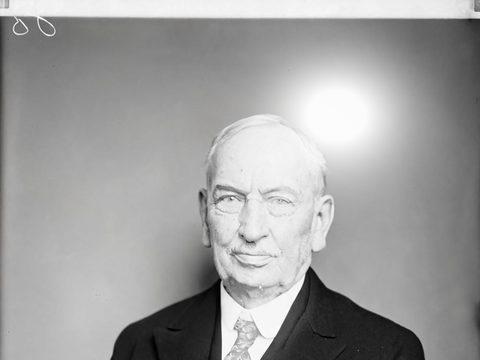
Fig. 3.1 · Illustration Flash Glare
Flash glare appears as a hard, bright hotspot that washes out part of a photographed print and obscures facial or background details. The Restore tool removes the hotspot and recovers the detail still faintly visible beneath it, but a hotspot burned to pure white holds no information to recover.
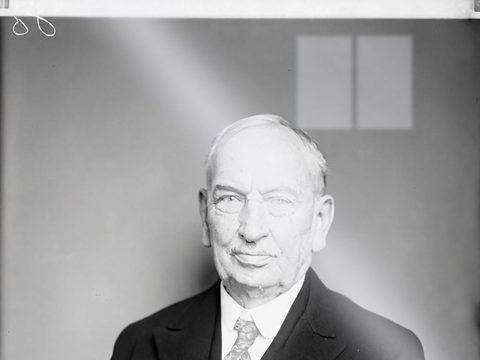
Fig. 3.2 · Illustration Reflections From Frame Glass
Reflections from frame glass appear as bright patches or room, window, and object shapes layered over a photographed print. Restore Old Photos removes the reflections and recovers the underlying image detail where it still shows faintly; leave fragile or deteriorated prints in their frames for a conservator to assess.
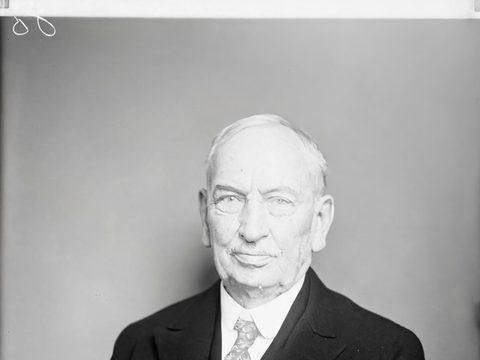
Fig. 3.3 · Illustration Light Glare on Glossy Prints
Light glare on a glossy print appears as a bright hotspot or washed-out patch where light reflects from the smooth surface. Glare repair in Restore takes out the sheen and recovers the affected area from the faint colour, texture, and image detail still visible beneath it.
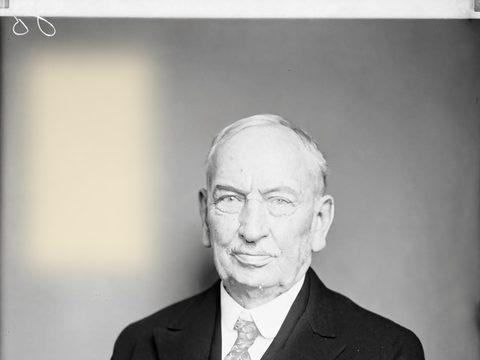
Fig. 3.4 · Illustration Sun Glare From Window Light
Sun glare from window light appears as a bright, irregular white patch or streak across a photographed print. Restore Old Photos removes the reflection and recovers affected image areas where detail still shows faintly, but cannot recover detail completely obscured by blown-out glare.
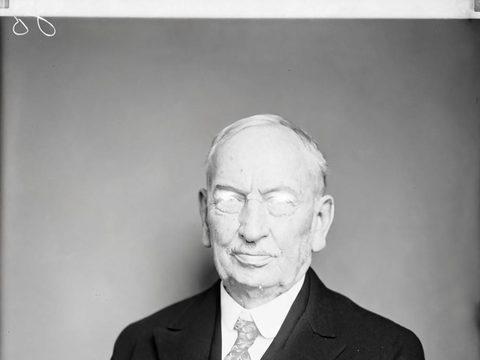
Fig. 3.5 · Illustration Eyeglass Glare in Old Portraits
Eyeglass glare in old portraits appears as bright patches or streaks across the lenses, sometimes obscuring the eyes. The Restore tool removes the lens reflections and recovers the eye detail still faintly visible beneath them, and a same-faces check keeps the portrait's original facial identity.
How to Remove Glare From a Photo Online
To remove glare from a photo online, follow four steps: upload the photographed print, select Restore, run and compare the AI repair, then download the full-size copy.
Step 1 of 4
Upload the Photo of the Print
Upload the photographed print by selecting it from your computer or phone gallery, or drag and drop it onto the page on desktop. The Restore Old Photos uploader accepts JPEG, PNG, and WebP files, and an iPhone hands the browser a JPEG, so a phone photo uploads without converting it first.
Restore my photoStep 2 of 4
Choose Restore for the Glare
Choose the Restore tool instead of brushing only over the glare, because Restore treats the entire photo, including reflected and washed-out areas. Select Restore and run the repair to remove the reflection while restoring the rest of the print.
Step 3 of 4
Run the AI Glare Removal
Select Restore to run the AI glare repair on the photo. Use the before-and-after slider to compare the restored image with the original and check that faces and important details remain faithful.
Step 4 of 4
Download the Glare-Free Copy
Select Download full size after the glare repair finishes. The full-size copy, about 2048 pixels on its long side, is ready for printing, sharing, or further editing.
Restore my photo Same people · checkedFig. 4 · After (illustration)
Removing Glare From Old Photos on iPhone
To remove glare from an old photo on iPhone, open Restore Old Photos in the iPhone browser, tap the upload control, and select the print photo from Photos. The photo uploads directly, because the iPhone hands the browser a JPEG, so no conversion is needed. Run Restore on the uploaded photo to remove the glare.
Glare Removal Without Retaking the Photo
Restore Old Photos removes reflections in the existing image and recovers washed-out areas where faint detail remains, so glare removal works without photographing the print again.
One Credit per Glare-Free Photo
Each glare-free photo costs 1 credit from a Restore Old Photos credit pack or monthly plan. A result that fails the same-faces check never costs a credit.
How Restore Old Photos Removes Glare and Restores the Print in One Pass
Restore Old Photos removes glare and restores the print in one pass: the Restore tool takes out the glare and repairs fading, scratches, tears, stains, and creases in the same run. Restore makes a faithful version, can add a bolder version, and can add colour in the same pass at no extra credit.
Glare Removal Pricing
1 credit restores one photo, and a second, bolder version is 1 more. Packs start at $2.99, never renew, and their credits never expire.
Pack 01
Starter
A few favourite photos, restored and colorized.
$2.99one-time
60¢ a photo
- 5 photos restored, colorized or enhanced
- Or 1 animated clip
- Full size, no watermark
- Credits never expire
- Never renews
Most chosen
Pack 02
Family
An album's best photos, with a clip of the one you love most.
$7.99one-time
44¢ a photo
- 18 photos restored, colorized or enhanced
- Or 4 animated clips
- Full size, no watermark
- Credits never expire
- Never renews
Pack 03
Archive
For the shoebox in the attic and the family historian.
$19.99one-time
40¢ a photo
- 50 photos restored, colorized or enhanced
- Or 12 animated clips
- Full size, no watermark
- Credits never expire
- Never renews
One-time payments in US dollars. Compare credit packs and monthly plans
Glare Removal FAQ
Can Glare Be Fully Removed From a Photo of a Photo?
No, glare cannot always be fully removed from a photo of a photo, because a blown-out spot contains no recorded detail to recover. Online glare removal for photos of old prints takes out reflections where texture or edges remain beneath them, but an area completely hidden by glare stays unrecovered.
Can AI Fix the Fading on the Same Photographed Print?
Yes, AI can fix the fading on the same photographed print: Restore Old Photos repairs fading and restores faded colours after removing the glare.
- Restoring Faded Colors Once the Glare Is Gone: Restore Old Photos restores faded colours on the same print once the glare is gone by rebuilding colour balance, contrast, and tonal depth. The faded-colour repair preserves the original scene and a natural appearance.
Can it remove the sheen of album plastic or frame glass?
A light sheen, yes. If the plastic is stuck to the photo, photograph it as it is rather than peeling it, and the sheen is taken out of the copy.
Will removing glare change the photo's colours?
Only where the glare washed them out. The rest of the photo keeps its own colours or tones, and the result is checked against your original before you see it.
Will the people still look like themselves?
That is the one thing Restore Old Photos checks on every result. Each one gets a structure score against your original and an AI check that the same people are there, with nothing added or removed. A result that fails is remade once on a backup model; if it still fails, it's dropped and the credit comes back to you.
How Do You Photograph an Old Print Without Glare?
To photograph an old print without glare, angle two lights at about 45 degrees, keep the camera parallel, scan the print, or use a phone scanning app that combines multiple shots.
- Angling the Light at 45 Degrees: Lights angled at about 45 degrees to either side of an old print send reflected light away from the camera. Two lights at 45 degrees on both sides illuminate the surface evenly and reduce glare, as the Canadian Conservation Institute notes in “Video – Lighting Techniques for Photographing Heritage Objects”, February 2025.
- Scanning the Print Instead of Photographing It: Scanning a print avoids much of the glare a camera captures because the print lies flat under the scanner's controlled, enclosed illumination. Keep the scanner lid closed and reduce ambient light to limit reflections and uneven highlights.
- Taking Prints Out of Glass Frames: Take a print out of its glass frame only when it lifts freely, and handle the loose print by its edges without touching the image surface. The Library of Congress reports in its preservation FAQ “How do I detach photographs stuck to glass or to each other?” that removing a photograph stuck to glass is difficult and in many cases impossible, so a stuck print stays in the frame until a photograph conservator assesses it.
- Phone Scanning Apps That Cut Reflections: Phone scanning apps such as Google PhotoScan cut reflections by guiding you to photograph the same print from several positions, then combining the images. PhotoScan can replace the glare in one shot with unobscured print detail from a second shot, because moving the camera shifts the glare, according to “PhotoScan: Taking Glare-Free Pictures of Pictures” by Ce Liu, Michael Rubinstein, Mike Krainin and Bill Freeman of Google Research, April 2017.
Why Do Old Glossy Prints Catch So Much Glare?
Old glossy prints catch strong glare because their smooth gelatin emulsion reflects light directly toward the camera, creating bright patches or washed-out areas. The “Photographic Prints” guide from the Preservation Self-Assessment Program at the University of Illinois at Urbana-Champaign records that gelatin printing-out prints have a matte surface when air-dried and a glossy surface when ferrotyped, that is, dried in contact with polished metal or glass. Matte surfaces scatter more light and usually produce less glare.
What does Restore Old Photos do with the photos I upload?
The original is used only to make your results and is deleted from our servers within 24 hours by an hourly clean-up, or at once if you delete it. Your results stay in your account until you delete them. Before upload, your browser shrinks the photo and strips its location data.
Does Restore Old Photos use my photos to train AI?
No. Restore Old Photos never uses your photos or results to train AI models. They're sent only to the AI providers that restore and check them, whose terms allow them to use what we send only to do that job.
Does Restore Old Photos have a free trial?
No, and so there's no trial to cancel and no weekly plan. You pay per photo with a one-time pack, from $2.99 (from 40¢ a photo), and a result that fails the check never costs a credit: it's dropped and the credit comes back.
What if a result fails?
You don't pay for it. Anything that isn't delivered, including a result held back because it failed our likeness check, is refunded to your balance automatically.