Restore Old Photos / Yellowed photo restoration
Yellowed Photo Restoration: Remove the Yellow Cast From Old Photos Online
Give your yellowed family photos their clean whites and natural tones back in about a minute, with every face checked to stay the same.
A yellowed old photo is restored online by uploading a scan and letting AI neutralize the yellow cast while keeping the same faces. Yellowed photo restoration is the digital correction of the yellow tint, stains, and lost contrast that age leaves on a print. Yellowing can appear as a cast across the whole print, spots, darkened edges, or discoloration with fading, and gelatin silver prints, albumen prints, cabinet cards, and 1970s–1980s color prints are the old photos most prone to it. Scan the print, upload the scan, run the correction, compare the before-and-after results, and download the restored photo. Restore Old Photos repairs yellowing and other age damage in one pass, so the Restore Yellowed Photos Online action opens a complete repair workflow.
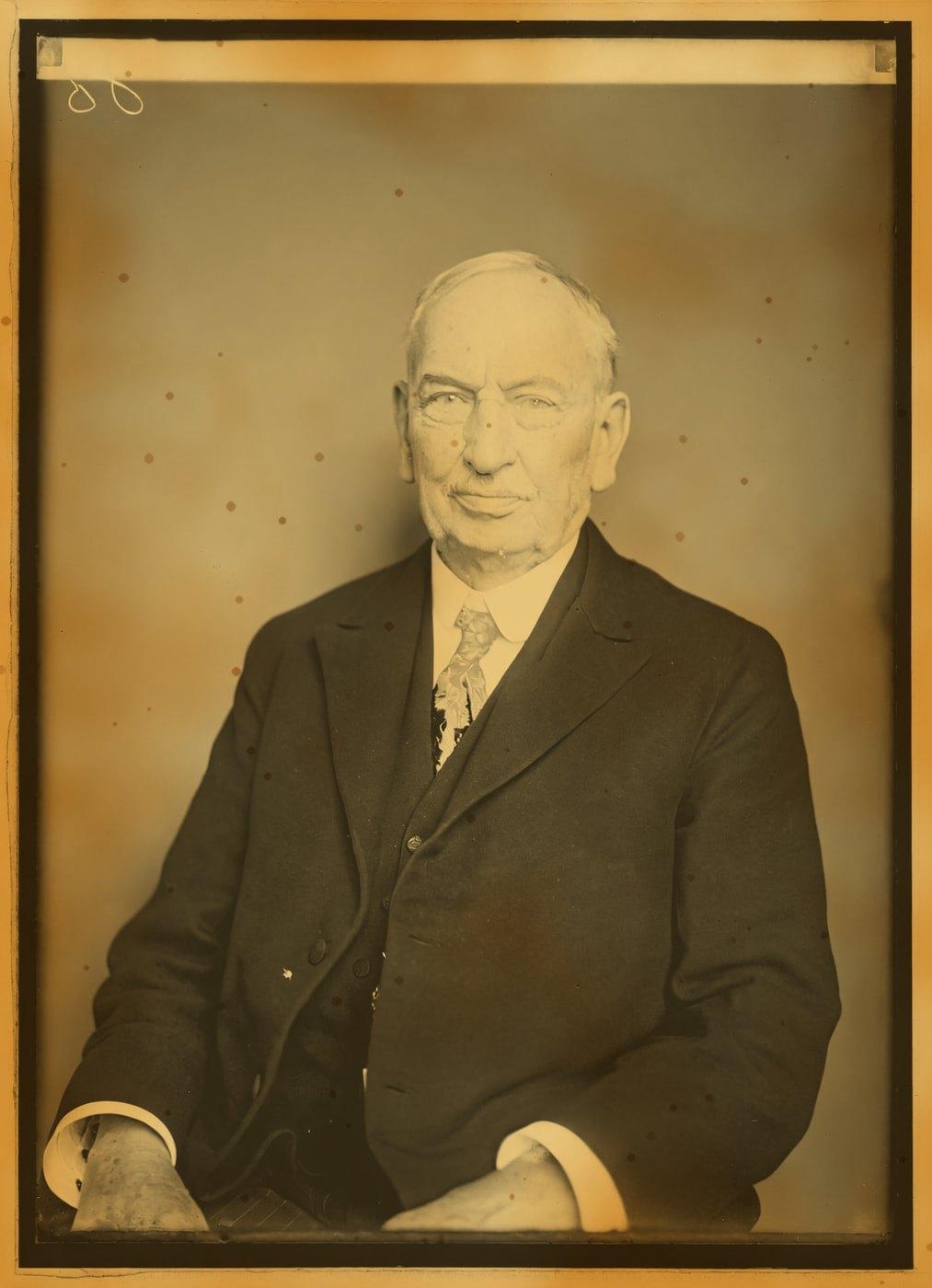
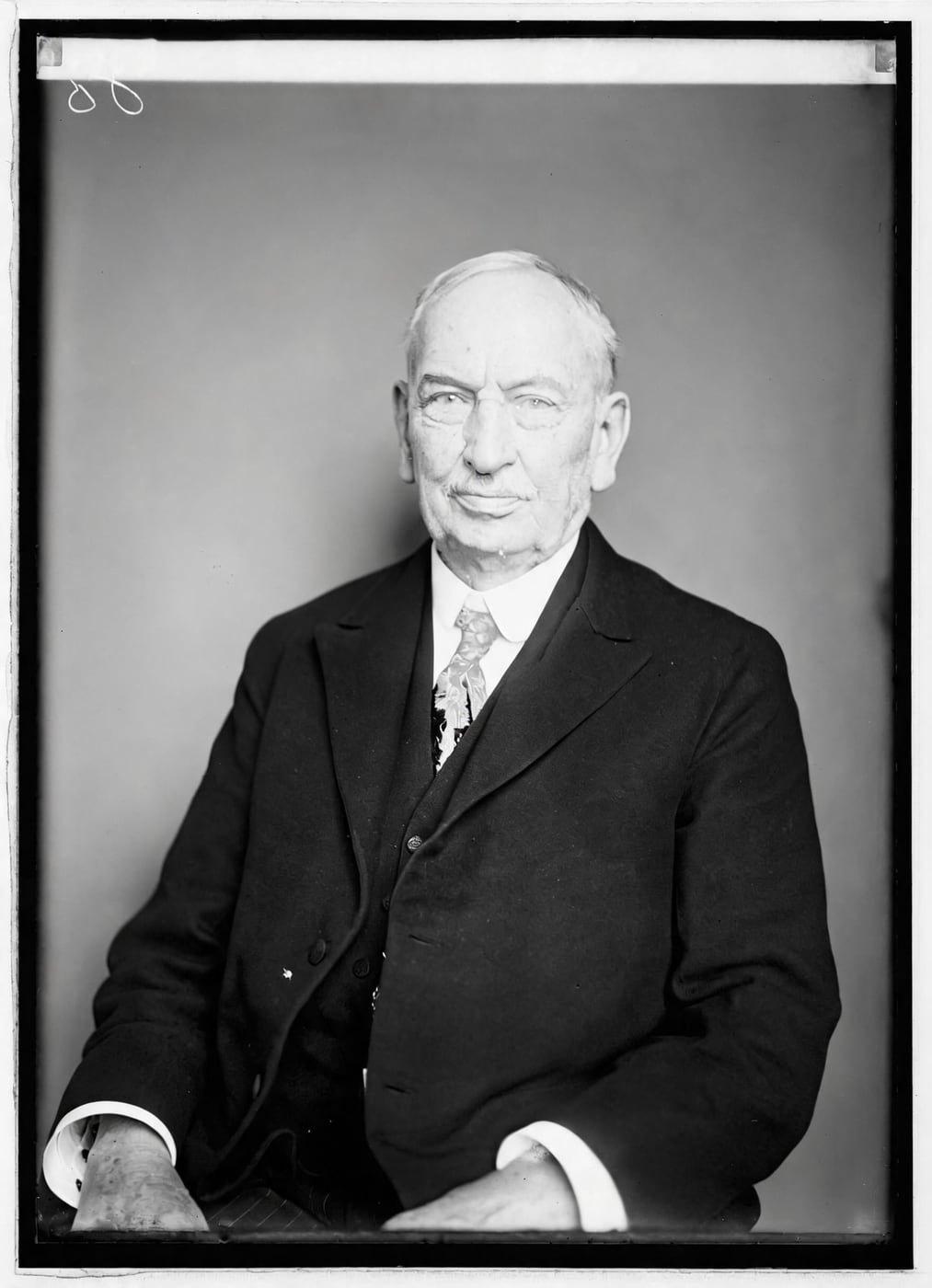
Yellowed Photo Restorations Before and After
Drag the handle to compare. This is an illustration, not a result: we added a yellow cast, blotches and spots digitally to a public-domain portrait from 1921, so you can see what the repair aims for. With your own photo, every result is checked against your original before you see it.
Restore Old Photos’ before-and-after examples are illustrations: each pairs a photo with yellowing added digitally and the clean photo it was made from. The clean versions show what a restoration aims for: reduced yellowing, stronger faded colors, cleaner age marks, and the same people and composition.
Restore yellowed photos onlineRestore Yellowed Photos Online With AI
Restore Old Photos uses AI to remove the yellow cast from an uploaded photo evenly across the whole picture, balance its colors, and preserve the same faces and scene. The yellowing correction creates a restored file without replacing the original scan.
- per photo
- ≈ 1 min
- per photo
- per photo
- 1 credit
- per photo
- then your upload is deleted
- 24 h
- then your upload is deleted
Types of Yellowing on Old Photos
The types of yellowing on old photos range from a yellow cast across the whole photo to localized stains or spots, discolored borders, and yellowing combined with fading.
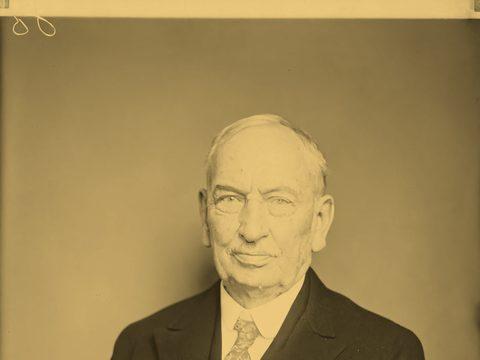
Fig. 3.1 · Illustration Overall Yellow Cast
An all-over yellow cast makes the entire photo look warm, yellow-brown, or sepia, including faces, highlights, and backgrounds. Restore Old Photos removes the yellow cast evenly across the whole photo and restores more natural tones and contrast.
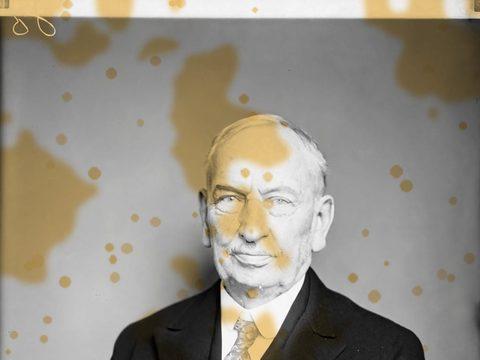
Fig. 3.2 · Illustration Yellow Stains and Spots
Yellow stains and spots appear as localized yellow or brown marks caused by residual processing chemicals, acidic materials, moisture, or mold-related foxing. Restore Old Photos corrects the uneven discoloration and nearby age damage while preserving the same faces.
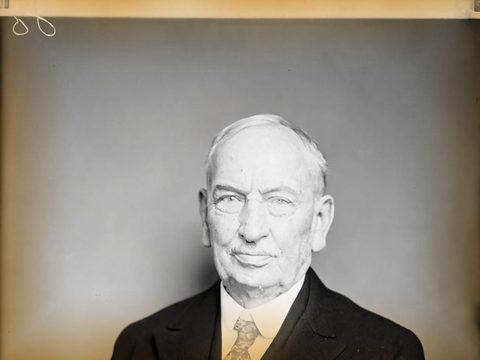
Fig. 3.3 · Illustration Yellowed Borders and Edges
Yellowed borders and edges appear as darker yellow or brown discoloration around a photo’s perimeter and corners. Restore Old Photos evens out the edge staining and balances the nearby tones while preserving the same faces.
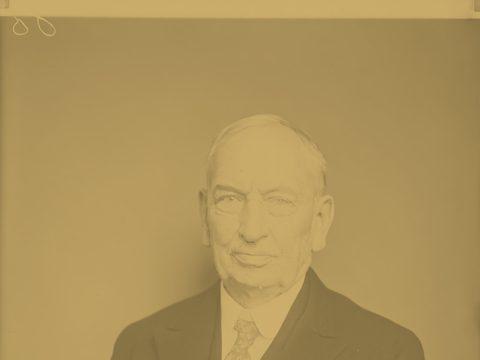
Fig. 3.4 · Illustration Yellowing Combined With Fading
Yellowing combined with fading makes an old photo look yellow or brown, lighter, and low in contrast, with weakened shadows and missing detail. Restore Old Photos neutralizes the color cast and restores contrast while preserving faces, although severe detail loss may require reconstruction.
Old Photos Most Prone to Yellowing
The old photos most prone to yellowing are black-and-white gelatin silver prints, albumen prints and cabinet cards, and many 1970s and 1980s color prints.
Black-and-White Gelatin Silver Prints
Black-and-white gelatin silver prints yellow when residual fixer left in the print reacts with the image silver to form silver sulfide, a yellowing that usually begins in the highlights, as the Northeast Document Conservation Center explains in “Session 5: Care and Handling of Photographs” of its Preservation 101 course. Restore Old Photos digitally neutralizes the yellow cast and restores tonal balance while preserving the same faces.
Albumen Prints and Cabinet Cards
Albumen prints and cabinet cards yellow as the egg-white binder ages, and the yellowed, faded highlights of an albumen print come from the Maillard (protein-sugar) reaction, according to “The Culinary Darkroom: Albumen Photographic Prints” by Laura Wahl of the Hagley Museum and Library, August 2013. Restore Old Photos digitally corrects the yellow cast and contrast of an albumen print while preserving recognizable faces.
1970s and 1980s Color Prints
1970s and 1980s color prints develop yellow casts as light, heat, humidity, and aging cause chromogenic dyes to fade unevenly, and Henry Wilhelm’s 1981 study “Monitoring the Fading and Staining of Color Photographic Prints” in the Journal of the American Institute for Conservation found that stains on color prints show most in the lighter areas and are usually yellow. Restore Old Photos neutralizes the yellow cast, balances the remaining colors, and improves contrast while preserving the same faces.
How to Fix a Yellowed Photo Online
To fix a yellowed photo online, follow five steps: scan the print, upload the scan, run the yellowing correction, compare the result with the original, and download the restored photo.
Step 1 of 5
Scan the Yellowed Print in Neutral Light
Scan the yellowed print with even, color-neutral lighting, avoiding mixed light, glare, and strong shadows. Save a high-quality color scan, preferably at 600 dpi or higher as a high-quality JPEG or PNG, then upload the scan for online restoration.
Restore yellowed photos onlineFig. 1 · The photo you add · illustration Step 2 of 5
Upload the Scan
Select the scanned yellowed print from your computer or phone, or drag the file into the upload area. Restore Old Photos processes an uploaded copy and leaves the original scan unchanged on your device.
Step 3 of 5
Run the Yellowing Correction
After uploading the scan, select Restore to process the yellowed photo. Restore Old Photos reads the yellowing in the scan, removes the yellow cast evenly, and restores faded tones; then compare the result with the original to check that the faces stay the same.
Step 4 of 5
Compare the Restored Colors With the Original
Drag the before-and-after slider across the restored image to compare its colors with the original yellowed photo. Check neutral whites, natural skin tones, and important details, including faces, for unwanted changes.
Step 5 of 5
Download the Restored Photo
Download the restored photo, about 2K (2048 px on its long side), after processing finishes. Save the restored file for printing or sharing, and keep the original scan as your master copy.
Restore yellowed photos online Same people · checkedFig. 5 · After (illustration)
What You Get From a Restored Yellowed Photo
A restored yellowed photo gives you a corrected digital file for printing or sharing while leaving your original scan unchanged.
Original Scan Kept Unchanged
Restore Old Photos saves the restored yellowed photo as a new file, leaving your scan unchanged as the master copy. The uploaded original is deleted from the Restore Old Photos servers within 24 hours.
2K Download for Printing
The restored yellowed photo downloads at about 2K (2048 px on its long side), ready for printing at everyday sizes. Enhance can enlarge a small scan by up to four times for larger prints.
One Credit per Restored Yellowed Photo
Each restored yellowed photo uses 1 credit from a credit pack or monthly plan. A result that fails the same-faces check never costs a credit.
How Restore Old Photos Removes Yellowing and Repairs Damage in One Pass
Restore Old Photos’ Restore tool neutralizes yellowing and repairs scratches, tears, stains, creases, and fading in one pass. The Restore tool makes a faithful version, can add a bolder version, and can add color in the same pass at no extra credit.
Yellowed Photo Restoration Pricing
1 credit restores one photo, and a second, bolder version is 1 more. Packs start at $2.99, never renew, and their credits never expire.
Pack 01
Starter
A few favourite photos, restored and colorized.
$2.99one-time
60¢ a photo
- 5 photos restored, colorized or enhanced
- Or 1 animated clip
- Full size, no watermark
- Credits never expire
- Never renews
Most chosen
Pack 02
Family
An album's best photos, with a clip of the one you love most.
$7.99one-time
44¢ a photo
- 18 photos restored, colorized or enhanced
- Or 4 animated clips
- Full size, no watermark
- Credits never expire
- Never renews
Pack 03
Archive
For the shoebox in the attic and the family historian.
$19.99one-time
40¢ a photo
- 50 photos restored, colorized or enhanced
- Or 12 animated clips
- Full size, no watermark
- Credits never expire
- Never renews
One-time payments in US dollars. Compare credit packs and monthly plans
Yellowed Photo FAQ
Can AI Repair Other Damage on the Same Yellowed Photo?
Yes, Restore Old Photos can repair scratches, stains, tears, creases, and fading on the same yellowed photo while preserving the same faces.
- Scratches and Stains Next to the Yellowing: Restore Old Photos repairs scratches and stains in the same pass that neutralizes yellowing. The scratch and stain repair removes surface marks while preserving the scan’s people, details, and composition, although severe damage may require AI reconstruction.
Can a Yellowed Photo Get Its Original Colors Back?
Yes, a yellowed photo can get its likely original colors back through digital restoration that neutralizes the yellow cast and balances the color information that remains. Permanently faded colors cannot be recovered exactly, so restoration software estimates the missing details, and yellowed photo restoration of old photos online works best with a high-quality scan.
Will removing the yellow make my photo black and white?
Only if it was black and white to begin with. A colour photo keeps its colours, corrected for the cast. A black-and-white print comes back neutral, and a print that was toned sepia on purpose keeps an even sepia. Tick Also add colour to colorize it in the same pass.
Can I fix a yellowed photo that's stuck in an album?
Yes. If it doesn't come out easily, don't force it: photograph it where it is, flat and in soft daylight, and lift the album's plastic sheet if you can, because plastic adds glare.
Will the people still look like themselves?
That is the one thing Restore Old Photos checks on every result. Each one gets a structure score against your original and an AI check that the same people are there, with nothing added or removed. A result that fails is remade once on a backup model; if it still fails, it's dropped and the credit comes back to you.
What Makes Old Photos Turn Yellow?
Old photos turn yellow because paper, gelatin, or image silver changes chemically, while sulfur, acidic album pages, adhesives, humidity, light, pollution, and leftover processing chemicals accelerate the discoloration.
- Aging Paper and Gelatin: Aging paper and gelatin turn old photographs yellow when heat, humidity, light, and oxygen accelerate chemical deterioration, and residual fixer can deepen yellow-brown discoloration as the silver image fades. A 2017 study by Jacqueline Moon and Katherine Curran in Heritage Science, “A study of the relationship between the migration of image silver and perceived yellowing of silver gelatine photographs,” attributes the yellowing of silver gelatine photographs largely to pollutants, relative humidity, and residual processing chemicals.
- Acidic Album Pages and Adhesives: Acidic album pages and adhesives yellow the prints they hold because acidic agents from poor-quality materials migrate into the photographs and acidic mounting adhesives discolor over time, staining the image and making the mounts brittle, according to “Care, Handling, and Storage of Photographs” by Mark Roosa for the Library of Congress, revised in 2002. Storing prints in acid-free, lignin-free enclosures with photo corners instead of adhesive mounts limits further damage.
- Storing Prints So Yellowing Stops Spreading: Store yellowed prints individually in photo-safe, acid-free enclosures, then keep the prints flat in a cool, dry, dark place with stable humidity. The Northeast Document Conservation Center’s leaflet “5.3 Care of Photographs” (revised 2019) recommends 30% to 50% relative humidity, a temperature of 70°F or below, and a separate unreactive enclosure for each item to slow further deterioration.
- Keeping a Digital Copy of Every Yellowed Print: A digital copy of every yellowed print protects the image from further yellowing because people can view, share, and reproduce the photo without handling the original. Store backup copies in separate locations and keep the physical photograph as the original record.
Which Age Damage Appears Alongside Yellowing?
The age damage that appears alongside yellowing on old photos includes fading, stains, scratches, creases, sunlight damage, and red or magenta color shifts.
- Sepia Toning Versus Yellowing: Sepia toning is an intentional treatment that gives a photograph an even warm-brown appearance by converting metallic silver into silver sulfide, while yellowing is unwanted discoloration from aging or chemical deterioration that tends to appear unevenly. Restore Old Photos keeps a deliberately sepia-toned print in an even sepia tone while removing the yellowing that age adds.
- Fading From Sunlight: Sunlight fading appears alongside yellowing as uneven bleaching, lighter areas near exposed edges, and washed-out contrast. AI restoration can reduce the visible color shift and recover contrast, but the AI cannot reverse the ultraviolet damage to the print itself.
- Red and Magenta Color Shifts: Red and magenta color shifts appear on old color prints that yellow with age because the print dyes fade at different rates: faster cyan-dye loss leaves an image redder, while uneven magenta fading creates further color imbalance. The University of Illinois Preservation Self-Assessment Program notes in “Color Chromogenic Photographs” that prints made before the 1980s may show reddish discoloration from the severe thermal fading of their unstable cyan dye.
What does Restore Old Photos do with the photos I upload?
The original is used only to make your results and is deleted from our servers within 24 hours by an hourly clean-up, or at once if you delete it. Your results stay in your account until you delete them. Before upload, your browser shrinks the photo and strips its location data.
Does Restore Old Photos use my photos to train AI?
No. Restore Old Photos never uses your photos or results to train AI models. They're sent only to the AI providers that restore and check them, whose terms allow them to use what we send only to do that job.
Does Restore Old Photos have a free trial?
No, and so there's no trial to cancel and no weekly plan. You pay per photo with a one-time pack, from $2.99 (from 40¢ a photo), and a result that fails the check never costs a credit: it's dropped and the credit comes back.
What if a result fails?
You don't pay for it. Anything that isn't delivered, including a result held back because it failed our likeness check, is refunded to your balance automatically.